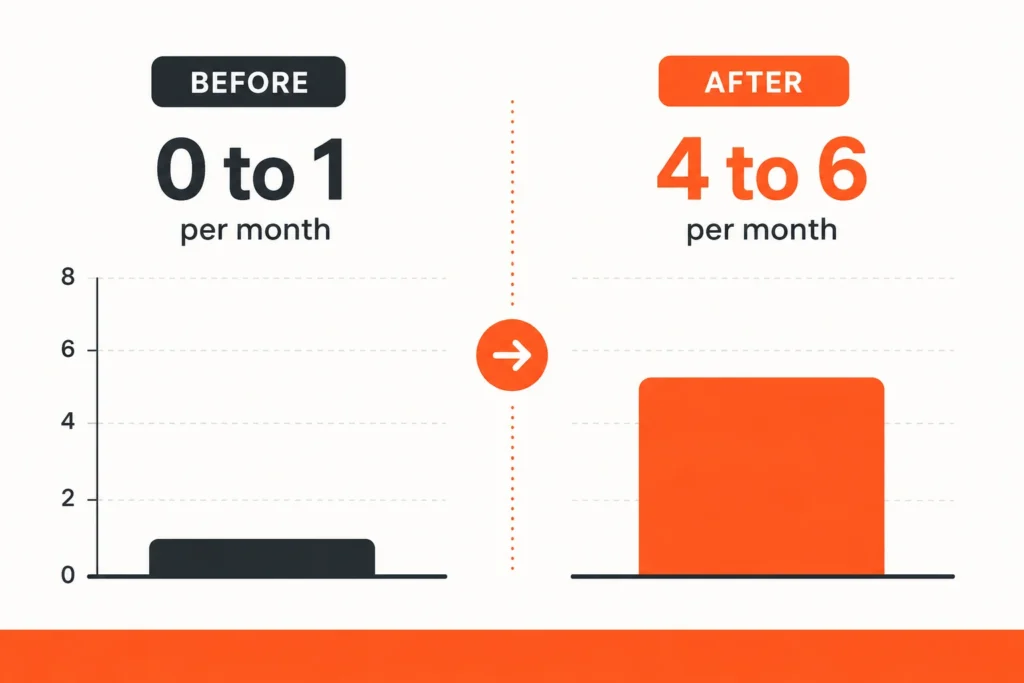
Automated review requests for contractors are the simplest way to build the steady stream of recent Google reviews that pushes a business up the Map Pack, the top three local results on Google. Here’s the short version. Connect your CRM or field app to a review tool, then set a text to send the minute a job is marked done. Most of the remodelers we onboard go from 0 to 1 reviews a month to 4 to 6, and nobody on the crew has to remember a thing. That matters because Google counts reviews as a ranking factor, not just a trust badge. More recent reviews, higher local rank, more calls. This guide covers the setup, the timing, the tools, and the one mistake that quietly wipes out the gains.
What are automated review requests for contractors?
Automated review requests for contractors are text or email messages that fire on their own the moment a job is marked complete, asking the homeowner to leave a Google review. Instead of remembering to ask after every project, you set the system up once. It then requests a review from every customer, on time, on every job, without anyone chasing it.
That’s the whole idea. You stop relying on memory and good intentions. The software does the asking while your crew loads the truck and drives to the next site.
Why reviews decide who wins the Map Pack in 2026
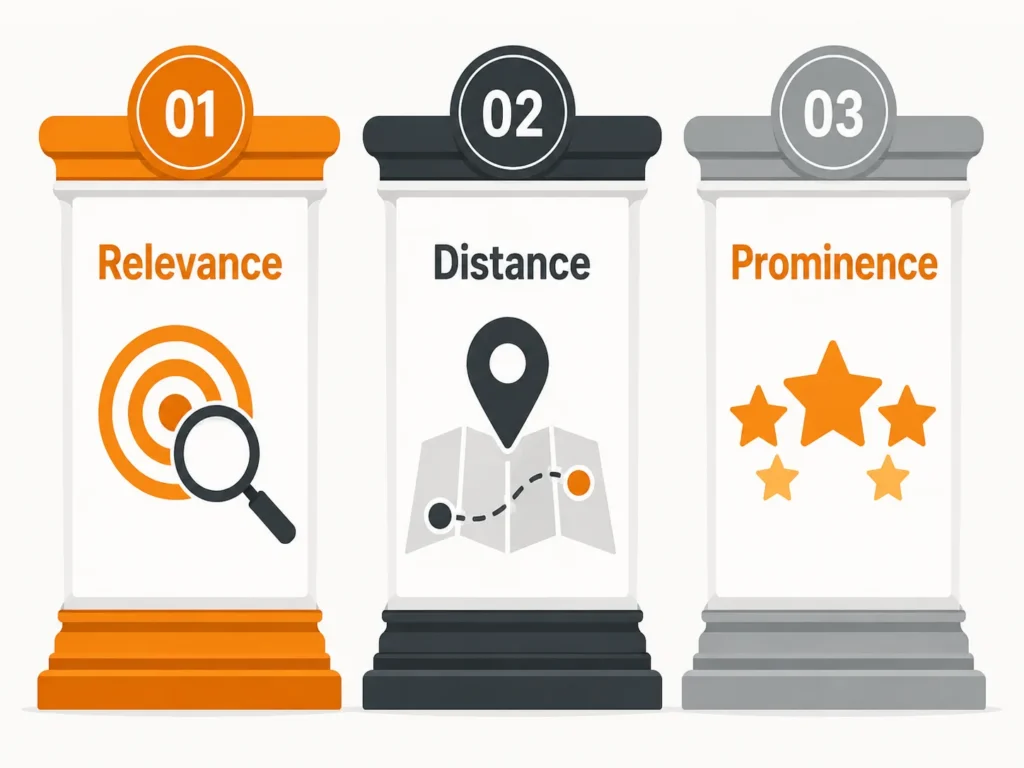
Reviews are one of the three things Google uses to rank local businesses. Google’s own Business Profile help documentation names relevance, distance, and prominence as the factors behind local rank, and it says plainly that more reviews and better ratings can improve where you show up. Reviews feed prominence. So do the links pointing at your site, which is one reason backlinks still matter for local rank too.
Here’s the part most contractors miss. It isn’t the total review count that moves you. It’s the flow. A business that earns a few reviews every week looks alive to Google. A business that got 40 reviews in 2021 and nothing since looks stale. When Whitespark surveyed 44 local SEO experts for its 2023 Local Search Ranking Factors study, they added a brand new factor that year: sustained influx of reviews over time. Steady beats big.
That’s the contrarian take, and it’s backed by Google’s own words. A one-time push to collect 30 reviews from old customers feels productive, but it barely moves rank. What moves rank is a review landing on your profile every few days, month after month. Automation is the only way a busy remodeler pulls that off. And the audience is there: BrightLocal’s Local Consumer Review Survey found 97% of consumers read reviews for local businesses, and 83% of them read those reviews on Google.
We watch this play out on every campaign. Fixing and filling out a client’s Google Business Profile, then turning on a steady review flow, lifts map impressions by an average of 340% in the first 90 days. Reviews are a big part of that lift.
How many reviews will automation actually get you?
For most remodelers, automation turns 0 to 1 reviews a month into 4 to 6. The jump is that sharp because the problem was never the customers. It was the asking.
Homeowners are willing. BrightLocal found 96% of consumers are open to writing a review, and 83% of people who get asked go on to leave one. The gap is the ask itself. A remodeler finishes a kitchen, the client is thrilled, and then everyone moves on. Nobody sends the request. Automation closes that gap on every job.
Real numbers from our work: a Dallas kitchen and bath remodeler went from 47 Google reviews to 119 in eight months after we switched on an automated request that fired at job completion. Those reviews were part of what carried them to number 2 in the Map Pack and organic results for their main city keyword. Across our clients, 78% reach the Map Pack within six months once the review flow and profile work are in place.
One caution. If you’re starting under 10 reviews and your competitors sit at 80 or more, expect Map Pack entry to take 4 to 6 months, not a few weeks. You’re not just collecting reviews. You’re closing a gap. That’s the honest timeline, and any agency that promises the top spot in 30 days is selling you something.
When should the review request go out?
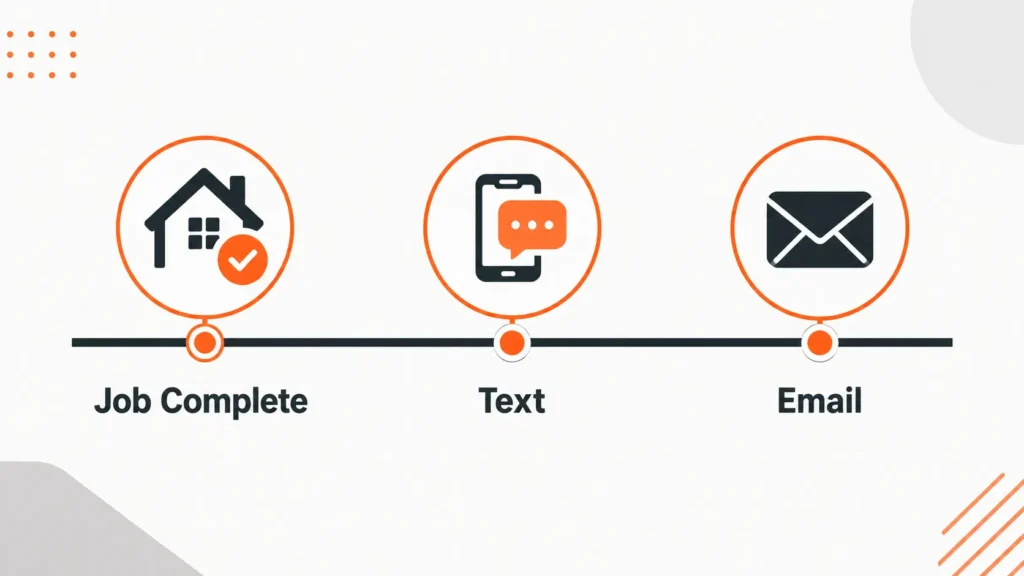
Send it right after the job wraps, ideally within a couple of hours of marking it complete. That’s when the homeowner is happiest and the work is fresh.
Wait a week and two things happen. The excitement fades, and the details blur. The review either never gets written or comes out vague. Recency helps you with shoppers, too, though buyers are getting more forgiving about it. BrightLocal found only 20% of consumers now say a review has to be from the last two weeks to count, down from 25% in 2023. Recent still wins, but you have a little more room than you used to.
Timing is also why the trigger matters more than the reminder. When the request fires off the “job complete” status in your system, it always goes out at the right moment. No one decides whether today is a good day to ask. The software already asked.
Text beats email for review requests
For contractors, a text gets read and answered where an email sits ignored. We’ve tested both across dozens of remodeling clients, and SMS wins on open and reply rate every time.
The reason is simple. Homeowners see a text. They archive marketing emails without opening them. A short, friendly text with a direct link gets a tap while they’re standing in the new kitchen.
The strongest setup uses both. Lead with a text at job completion. If there’s no review after a day or two, follow up with a short email. Two touches, two channels, one link. That sequence is what gets you to the 4 to 6 a month range instead of stalling at one or two.
How to set up automated review requests, step by step
You can have this running in an afternoon. Here’s the process we use when we set it up for a remodeler.
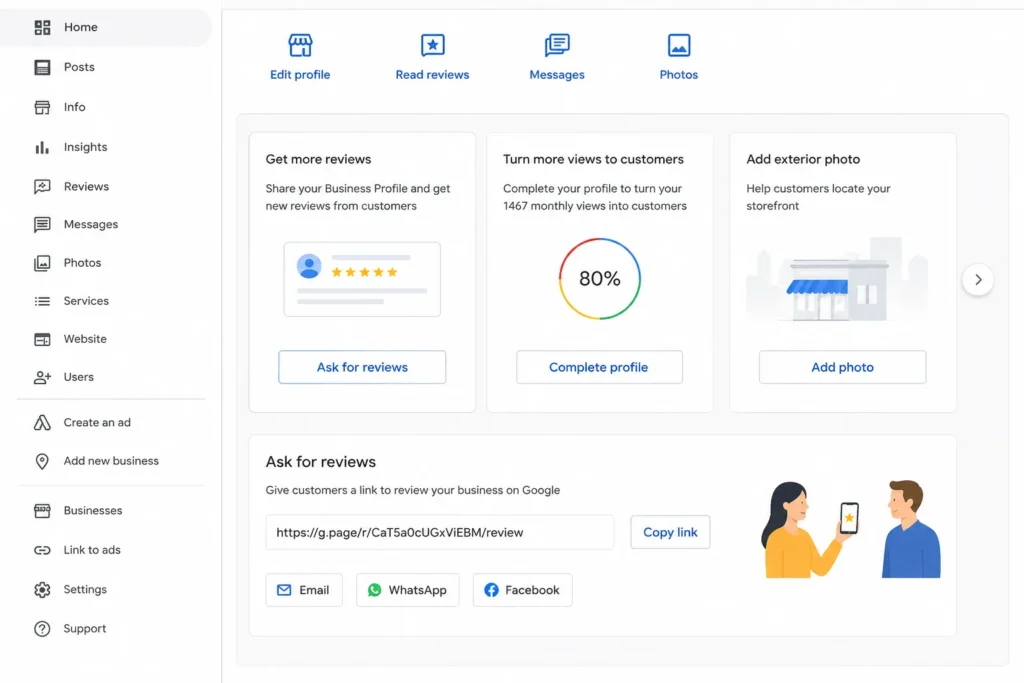
Grab your direct Google review link. In your Google Business Profile, click “Ask for reviews” and copy the short link. It opens the review box in one tap, so the homeowner isn’t hunting for where to write.
Pick the trigger. The trigger is the moment the request sends. For contractors, use “job marked complete” in your CRM or field app. That way the ask is tied to real finished work, not a guess.
Choose the tool. Use a platform that connects to your CRM and sends by text. We run our clients on GoHighLevel because it fires an SMS the moment a job closes and drops every lead and review into one dashboard the owner can see. Field apps like Jobber, Housecall Pro, and ServiceTitan have review requests built in too.
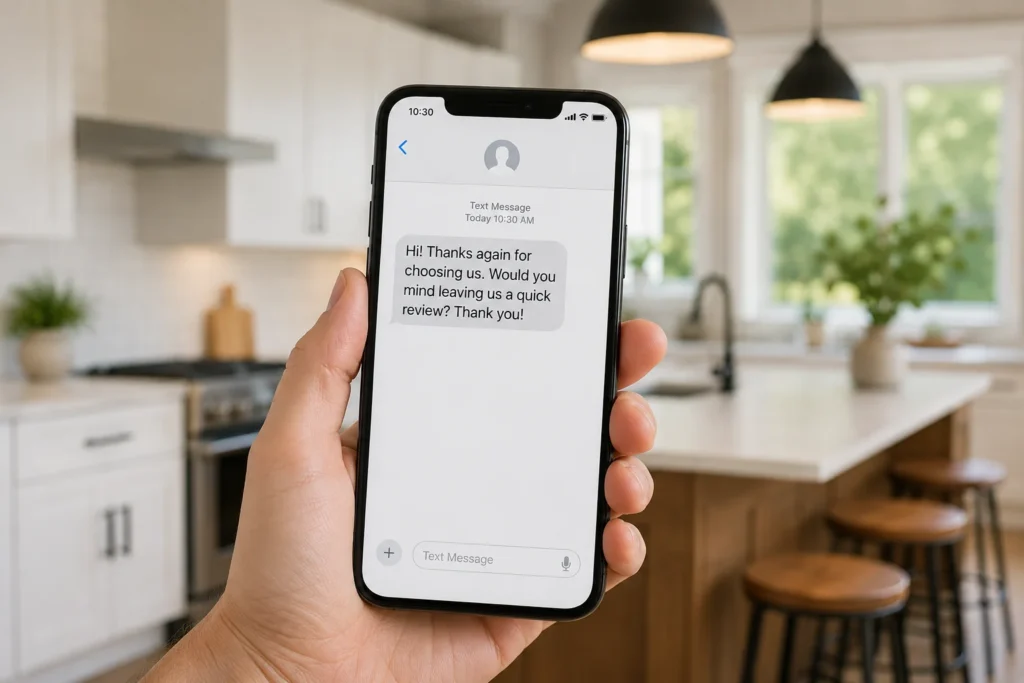
Write the message. Keep it short, use the homeowner’s first name, and name the job. One sentence, one link.
Add one follow-up. Set a single email or text to go out a day or two later if no review lands. Stop there. More than one nudge annoys people.
Watch the numbers. Check your review-to-job ratio each month. If you finish 20 jobs and get 4 reviews, that’s 20%, which is solid. If it’s under 10%, your timing or your message needs work.
Here’s a template that beats the generic one you’ll find on most sites:
Hi [First name], thanks again for trusting us with your [kitchen] remodel. Quick favor: would you leave a short Google review about how it went? It helps other [city] homeowners find us. Takes about a minute: [review link]
Notice what it does. It names the project, it names the city, and it explains why the review helps. That’s more honest and more effective than “share your positive experience.”
Which review tool fits a contractor?
The right tool connects to how you already run jobs and sends by text. Here’s how the common options compare for a remodeling business.
| Tool | Best for | Review channels | Fires from job completion |
|---|---|---|---|
| GoHighLevel | Owners who want reviews, leads, and follow-up in one place | Text, email | Yes, via workflow trigger |
| Jobber | Remodelers already scheduling and invoicing in Jobber | Text, email | Yes, built in |
| Housecall Pro | Field teams that live in a mobile app | Text, email | Yes, built in |
| ServiceTitan | Larger contractors with big crews and call centers | Text, email | Yes, built in |
| Podium | Shops that want a full messaging inbox on top of reviews | Text, email | Yes, with integration |
Pricing shifts by plan and company size, so check current rates with each vendor before you commit. The feature that actually matters is the same across all of them: can it send a text the second a job is marked done? If yes, it’ll do the work.
The mistake that quietly erases your review gains
You can do everything right on reviews and still lose rank if your name, address, and phone number don’t match across the web. This is the trap nobody warns contractors about.
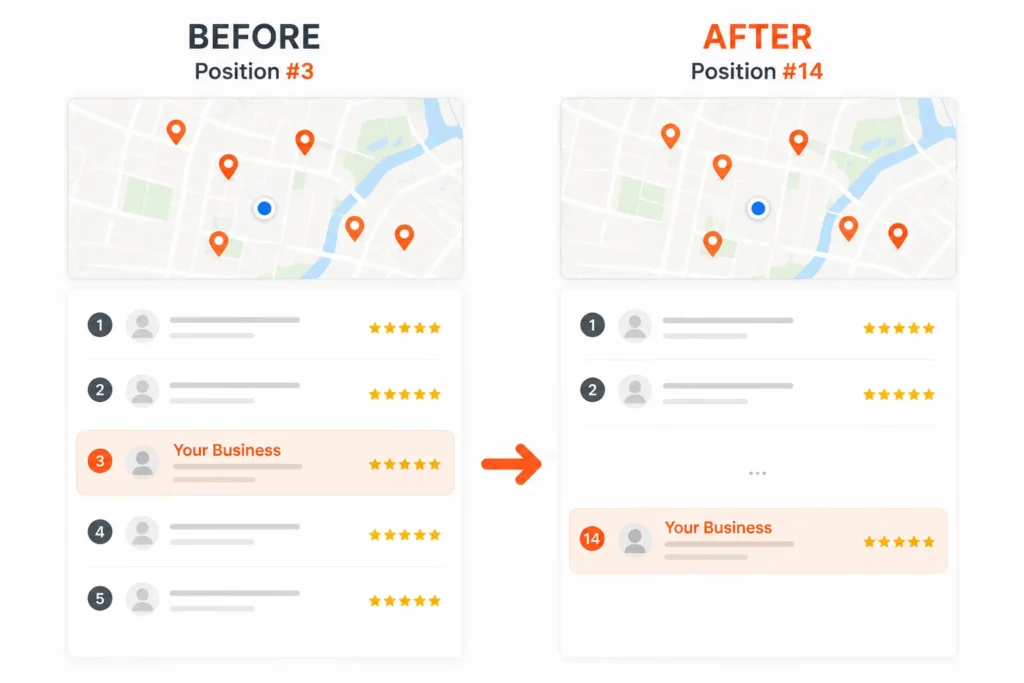
We had a client drop from number 3 to number 14 in the Map Pack after they changed their phone number on their website but left the old number on 37 other listings. Google saw the conflict and lost trust in the profile. All those hard-earned reviews couldn’t save a broken foundation. We had to correct every citation, in a controlled rollout, before the rank came back.
Two more traps to skip. Don’t gate reviews by screening for happy customers first, and never buy reviews. Both break Google’s policies and can get your reviews wiped or your profile suspended. Ask everyone, right after the job, and let the work speak.
And remember reviews are one piece. They sit alongside a clean profile, the same on-page fixes we find missing on most remodeling sites, and the content on your service pages that tells Google what you do and where. Reviews accelerate a solid setup. They don’t replace one.
Doing it yourself versus hiring help
If you finish a handful of jobs a month and you’re comfortable in your CRM, set this up yourself with the six steps above. It’s real work you can own.
Bring in help when the math gets bigger. If you’re spending thousands a month on Angi or HomeAdvisor for shared leads, reviews are one lever in a full local SEO push that can replace that spend with calls you own. That’s the difference between renting leads and owning your market. If you’d rather run paid traffic while the organic side builds, Google Ads can cover the gap in the first few months.
We handle this end to end for remodelers, and we take one remodeler per city so we’re never working two competitors against each other. That’s a deliberate limit, not a sales line.
Automated review requests for contractors are one of the highest-return moves in local search. Set the trigger, send by text, keep your listings consistent, and let a steady flow of Google reviews carry you up the Map Pack while you stay on the job site. If you want that system built and tied to a real ranking plan, that’s what we do.
FAQs
How do automated review requests work for contractors?
They send a text or email on their own the moment a job is marked complete in your CRM or field app, asking the homeowner to leave a Google review. You set it up once, and it then asks every customer automatically. Most remodelers go from 0 to 1 reviews a month to 4 to 6 after switching it on.
How many Google reviews should a contractor get each month?
Aim for a review on 10% to 20% of completed jobs to start. If you finish 20 jobs a month, that’s 2 to 4 reviews, and a dialed-in system pushes it higher. Our remodeling clients average 4 to 6 new Google reviews a month once automation and profile work are in place.
When is the best time to ask for a review?
Right after the job wraps, ideally within a couple of hours of marking it complete. That’s when the homeowner is happiest and the details are fresh. BrightLocal found 83% of people who are asked to leave a review go on to write one, so the timing of the ask matters more than anything.
Do reviews really affect Google rankings for contractors?
Yes. Google’s Business Profile documentation lists reviews under prominence, one of the three factors behind local rank. Recent, steady reviews signal an active business. A one-time batch of old reviews does far less than a few new ones landing every week.
Should contractors send review requests by text or email?
Text first. Homeowners open and answer texts far more than emails. The best setup leads with an SMS at job completion, then follows up with one email a day or two later if no review comes in.
What’s the biggest mistake with automated review requests?
Letting your name, address, and phone number fall out of sync across listings. We saw a contractor drop from number 3 to number 14 in the Map Pack after changing a phone number on the website but not on 37 other listings. Fix your citations before you scale reviews.
Can I set up automated review requests myself?
Yes, if you finish a handful of jobs a month and know your CRM. Grab your Google review link, pick a “job complete” trigger, choose a tool that sends by text, write a short message, and add one follow-up. Bring in help when reviews are one piece of a larger plan to replace paid lead spend.