
Choosing Adaptive Vs Responsive Web Design
Adaptive and responsive web design are two distinct approaches for creating websites that work across multiple devices and screen sizes. Adaptive design creates multiple fixed layout versions and serves the appropriate version based on device detection. Responsive design uses a single fluid layout that dynamically adjusts to any screen size using CSS media queries and flexible grids.
The main differences are:
- Loading Speed: Adaptive designs load 2-3x faster since they serve optimized, device-specific code
- Development Effort: Adaptive requires building 4-6 separate layouts; responsive needs just one flexible design
- Maintenance: Responsive is easier to maintain with a single codebase; adaptive requires updating multiple versions
- SEO Impact: Google recommends responsive design for better mobile-first indexing and simplified crawling
- Cost: Adaptive costs less initially but more long-term; responsive has higher upfront costs but lower maintenance
Choose adaptive design when: You have an existing website needing mobile optimization, limited budget, specific target devices, or critical loading speed requirements.
Choose responsive design when: Building from scratch, targeting diverse devices, prioritizing long-term maintenance, or needing better SEO optimization with Google’s preferences.
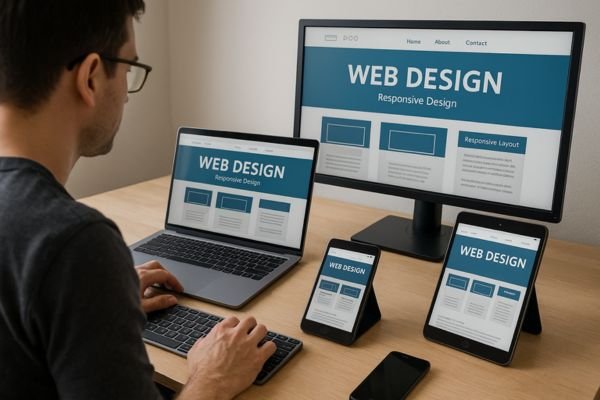
Understanding Adaptive Website Layouts
Adaptive web design creates multiple website versions for different devices and screen sizes. This strategy detects which device someone uses to visit your site. The system then displays the most suitable website version for their specific device. This approach works especially well for modern websites since most visitors use mobile devices. Smartphones and tablets now generate the majority of website traffic worldwide according to industry research.
The main advantage of adaptive web design prevents website problems that push users away. Visitors expect clean interfaces that make navigation simple and browsing enjoyable. Poor display formatting creates jumbled navigation links, buttons, and graphics on smaller screens. Users typically leave websites immediately when content doesn’t fit their device properly. They usually visit competitor sites that display correctly on their devices instead.
Adaptive layouts also load faster than other web design approaches available today. Responsive pages sometimes load slower because they must adjust to fit user screens. Adaptive layouts simply serve users a pre-built version designed for their device type. This eliminates unnecessary loading processes and reduces waiting times for website visitors. Faster loading speeds often determine whether users stay on your site or leave.
Both adaptive and responsive web design emerged approximately ten years ago with smartphones. These web design methods developed specifically to address mobile device browsing challenges. Creating product pages or landing pages that work on every device requires careful planning. Both adaptive and responsive web design accomplish this goal effectively. However, knowing when to use each approach makes the biggest difference when working with professional agencies.
Key Differences Between Adaptive and Responsive Layouts
Understanding the fundamental differences between adaptive and responsive layouts helps website creators make informed decisions. Both approaches solve device compatibility issues but use completely different methods to achieve results. Adaptive web design builds multiple website versions, each created for specific device types and screen sizes. The system detects which device users access your site with automatically and intelligently. It then selects the most appropriate website version based on that specific device information.
Key characteristics of adaptive layouts include:
- Multiple pre-built versions designed for different devices and screen resolutions
- Automatic device detection that serves the correct version to each user
- Faster loading times due to simpler code structure and targeted optimization
- Higher development effort required to create multiple layout versions initially
- Better performance on older devices with limited processing power capabilities
Responsive web design functions differently by adapting your website layout to various screen resolutions dynamically. You create one website version that automatically adjusts to fit different screen sizes seamlessly. Users don’t need multiple versions because the design elements resize themselves automatically and efficiently. When someone views your site on a smaller device, page elements shrink accordingly. Text, graphics, tables, divs, and navigation links all resize to fit properly across devices.
Essential features of responsive layouts include:
- Single flexible design that adapts to any screen size automatically
- Fluid grid systems that scale elements proportionally across different devices
- Less initial development work but potentially slower loading on some devices
- Easier maintenance since you only manage one codebase for all devices
- Better compatibility with future devices that haven’t been released yet
The main difference between adaptive and responsive layouts involves loading speed and overall complexity. Success depends on choosing the right approach for your specific project requirements and constraints. Many Denver-based agencies specialize in helping businesses make these critical decisions. Marketing technology resources provide additional insights into performance optimization strategies.
Choosing the Right Layout Approach for Your Project
Selecting between responsive and adaptive layouts becomes one of the most challenging website decisions today. Both adaptive and responsive approaches have valid uses in modern website creation strategies. Success depends on understanding when to choose responsive versus adaptive layout strategies for optimal results. The decision impacts your project timeline, available budget, and long-term maintenance requirements significantly.
Factors to consider when choosing adaptive layouts:
- Existing websites that need updates without complete rebuilds or overhauls
- Projects with limited budgets that can’t afford extensive redevelopment costs
- Websites targeting specific devices where you know your audience preferences
- Situations where faster loading speeds are absolutely critical for user experience
- Small to medium websites that don’t require extensive scalability features
Building large websites from scratch often works better with responsive layout approaches overall. Responsive website layouts flow smoothly and function well across multiple device types seamlessly. Creating responsive websites requires less work regarding the total number of layouts needed initially. You must build responsiveness into your entire website structure from the very beginning. Small businesses often find responsive designs more cost-effective for long-term growth.
Scenarios where responsive layouts work best:
- New website projects starting from scratch with flexible development budgets
- Large websites with extensive content that need to scale across devices
- Projects where future device compatibility is a major business concern
- Websites with diverse audiences using various devices and screen sizes regularly
- Long-term projects where easier maintenance and updates provide significant value
These guidelines provide general direction for choosing between adaptive and responsive web design approaches. Consider your available budget, website size, visitor device preferences, launch timeline, and maintenance capabilities. Consulting experienced teams or website specialists helps when you’re unsure about the best approach. Marketing professionals often recommend starting with a thorough analysis of your target audience’s device usage patterns.

Optimizing Website Layouts for SEO
Your website layout choice directly impacts how search engines discover, crawl, and rank your content. Modern search engines like Google evaluate websites based on technical performance, user experience, and mobile compatibility. Both adaptive and responsive layouts present unique SEO opportunities and challenges that affect visibility. Understanding these differences helps you make informed decisions that boost search rankings. Search engines prioritize websites that deliver excellent user experiences across all devices. Your layout strategy becomes a critical factor in achieving higher search result positions.
Technical SEO considerations vary significantly between adaptive and responsive web design approaches today. Adaptive layouts require careful management of multiple website versions to prevent duplicate content issues. Responsive designs align better with Google’s mobile-first indexing preferences and recommendations. Core Web Vitals performance metrics directly influence how search engines rank your website. Page loading speed, interactivity, and visual stability all depend on your layout implementation. Smart layout optimization can improve these crucial ranking factors and increase organic traffic. The relationship between web design choices and SEO success continues growing stronger each year.
Technical SEO Considerations for Adaptive Designs
Adaptive web design presents unique technical SEO challenges that require careful planning and execution strategies. Search engines need to crawl and index multiple versions of your website content effectively. Each adaptive layout version must maintain consistent URL structures and proper canonical tag implementation. This prevents duplicate content issues that can harm your search engine rankings significantly. Google and other search engines prefer clear signals about which version represents your primary content.
Critical technical SEO elements for adaptive designs include:
- Proper canonical tag implementation across all device-specific layout versions
- Consistent URL structure that doesn’t confuse search engine crawlers or users
- Server-side device detection that doesn’t block search engine bot access
- Meta tag optimization that remains consistent across different adaptive layout versions
- Structured data markup implementation that works properly on every device version
Device detection methods can sometimes interfere with search engine crawling and indexing processes. Search engine bots may not always identify themselves correctly to your adaptive system. This can result in bots receiving the wrong version of your content. User agent detection requires regular updates to recognize new search engine crawler signatures. Failing to update detection scripts can negatively impact your website’s search visibility. Professional SEO services can help manage these complex technical requirements.
Adaptive layouts require more complex sitemap management to ensure search engines discover content properly. Each device version should be accessible to search engine crawlers without authentication barriers. Your robots.txt file must allow access to all essential adaptive layout resources and files. Testing your adaptive design with Google Search Console helps identify crawling issues early. Regular monitoring ensures search engines can access and index your content across devices effectively. The Direct Marketing Association offers additional resources on technical implementation best practices.
Responsive Design Benefits for Google Rankings
Responsive web design aligns perfectly with Google’s mobile-first indexing approach and ranking preferences. Google officially recommends responsive design as the preferred method for mobile website optimization. This recommendation stems from responsive design’s ability to provide consistent content across devices. Search engines can crawl one URL and understand how content adapts to different screens. This simplicity reduces technical complexity and potential indexing issues that hurt rankings.
Google ranking advantages of responsive design include:
- Single URL structure that eliminates duplicate content concerns completely
- Faster crawling and indexing since search engines only process one website version
- Better link equity consolidation because all backlinks point to the same URLs
- Improved mobile usability scores that directly impact search engine ranking positions
- Enhanced Core Web Vitals performance when implemented correctly and efficiently
Mobile-first indexing means Google primarily uses your mobile content version for ranking decisions. Responsive designs ensure your mobile and desktop content remains identical in substance. This consistency prevents mobile content gaps that could hurt your search rankings. Users receive the same valuable information regardless of their device choice. Search engines reward this consistency with better visibility in search results.
Responsive layouts also support better internal linking strategies that boost SEO performance significantly. Your internal links work consistently across all devices without requiring separate link strategies. This unified approach helps search engines understand your site structure more clearly. Page authority flows more effectively through your website when using responsive design approaches. The simplified technical implementation reduces the chances of SEO errors during development. Many businesses in New Brunswick have seen improved rankings after switching to responsive designs. Additionally, Las Vegas marketing services can help implement these strategies effectively.
Core Web Vitals and Layout Performance Metrics
Core Web Vitals represent Google’s key performance metrics that directly influence search engine rankings. These metrics measure real user experience factors including loading speed, interactivity, and visual stability. Your layout choice significantly impacts these performance measurements and subsequent search visibility. Both adaptive and responsive designs must optimize for these critical user experience signals.
Essential Core Web Vitals metrics affected by layout design:
- Largest Contentful Paint measuring how quickly main content loads for users
- First Input Delay tracking how fast your site responds to user interactions
- Cumulative Layout Shift measuring visual stability as page elements load completely
- First Contentful Paint indicating when users first see meaningful content appear
- Time to Interactive showing when pages become fully usable for visitor engagement
Adaptive layouts can achieve better Core Web Vitals scores through targeted device optimization. Each version loads only necessary resources for specific devices and screen sizes. This focused approach reduces unnecessary code that slows down page performance. However, maintaining optimal performance across multiple versions requires ongoing monitoring and updates. Device-specific optimization demands more development time but can deliver superior user experiences.
Responsive layouts face different Core Web Vitals challenges due to their flexible nature. Loading one version that adapts to all devices sometimes includes unnecessary resources. CSS media queries and JavaScript can impact loading times if not optimized properly. However, responsive designs benefit from simpler maintenance and consistent performance optimization efforts. Modern responsive frameworks have improved significantly in handling Core Web Vitals requirements.
Regular performance testing helps identify layout-related issues that hurt Core Web Vitals scores. Google Analytics and performance testing tools provide specific recommendations for improving these critical metrics. Both adaptive and responsive approaches can achieve excellent Core Web Vitals when implemented thoughtfully. Many SEO firms specialize in optimizing these performance indicators.
Conclusion
Choosing between adaptive and responsive web design requires careful consideration of your specific project needs. Both approaches offer distinct advantages for user experience and search engine optimization performance. Adaptive layouts excel in loading speed and device-specific optimization but require more development effort. Responsive designs provide better SEO alignment with Google’s preferences and simpler long-term maintenance. Your decision should factor in budget constraints, technical requirements, and audience device preferences.
The future of web design continues evolving with new devices and changing user behaviors. Search engines will keep prioritizing websites that deliver exceptional user experiences across platforms. Regardless of your chosen approach, focus on Core Web Vitals optimization and mobile usability. Regular testing and performance monitoring ensure your website maintains competitive search rankings. Success comes from implementing your chosen layout strategy thoughtfully and monitoring its performance continuously.
For businesses seeking comprehensive SEO company services, understanding these design principles provides a solid foundation for success. Whether you need assistance with implementation, search optimization services, or Google Ads integration, professional guidance can make the difference in achieving your digital marketing goals. Don’t hesitate to contact specialists who can help you make the right choice for your specific situation.
FAQs
Which layout approach loads faster for users?
Adaptive layouts typically load faster because they serve device-specific versions with targeted code. This eliminates unnecessary resources that could slow down page loading speeds significantly.
Does Google prefer responsive or adaptive web design for SEO?
Google officially recommends responsive design as their preferred mobile optimization method for websites. Responsive layouts align better with mobile-first indexing and reduce duplicate content issues.
Can I switch from adaptive to responsive design later?
Yes, but switching requires rebuilding your entire website structure from the ground up. This process involves significant time investment and development costs for most website projects.
How do Core Web Vitals differ between these layout approaches?
Adaptive layouts can achieve better Core Web Vitals through targeted device optimization strategies. Responsive designs may load unnecessary resources but offer simpler performance optimization maintenance.
Which approach works better for small business websites?
Adaptive layouts often work better for small businesses with limited budgets and specific audiences. They require less ongoing maintenance while providing faster loading speeds for users.

Mike has over 5 years of experience helping clients improve their business visibility on Google. He combines his love for teaching with his entrepreneurial spirit to develop innovative marketing strategies. Inspired by the big AI wave of 2023, Mike now focuses on staying updated with the latest AI tools and techniques. He is committed to using these advancements to deliver great results for his clients, keeping them ahead in the competitive online market.