
How To Create The Best URL Structure For SEO Effectively?
SEO URL structure means creating clean, readable website links using keywords, dashes instead of underscores, HTTPS security, and logical folder organization. Good URLs increase click-through rates by 40% and help search engines understand your content better.
Key URL Structure Elements That Drive Results:
- Use descriptive keywords that match what customers actually search for
- Choose HTTPS over HTTP for security and ranking benefits
- Keep URLs under 60 characters for optimal search performance
- Use dashes (-) not underscores (_) because Google treats them as word separators
- Create logical folder hierarchy like /services/digital-marketing/seo/
- Include location keywords for local businesses targeting specific areas
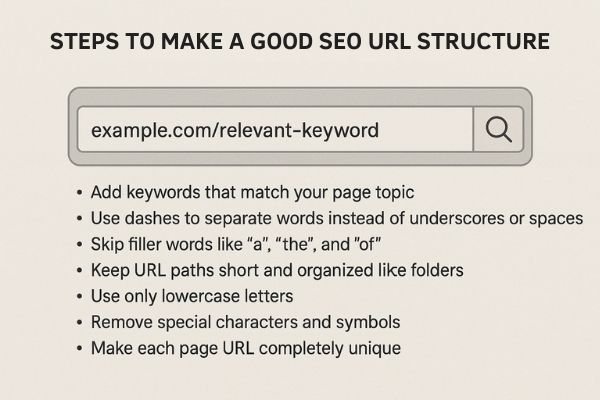
What Makes a Good SEO URL Structure?
SEO URL structure means building clean, readable website links that search engines love. You want URLs that clearly show what’s on each page. Search engines can then easily find, save, and understand your content.
A search-friendly URL structure includes these key parts:
- Add keywords that match your page topic
- Use dashes to separate words instead of underscores or spaces
- Skip filler words like “a”, “the”, and “of”
- Keep URL paths short and organized like folders
- Use only lowercase letters
- Remove special characters and symbols
- Make each page URL completely unique
- Follow the same URL pattern across your entire website
Good URL structure matters for SEO because it helps search robots understand your pages. This leads to better rankings, more clicks, and easier discovery of your content. Well-built URLs also create simple, clean links that people can easily read and remember. According to Google’s official SEO documentation, proper URL structure significantly improves how search engines process and rank your content.
How URLs Drive Business Growth
Here’s a real example we see often:
An online store starts with thousands of products, great design, and strong branding. But website visitors from Google stay low. When we check their setup, the URL problem becomes clear. Their links look like this: awesomestore.com/products/category-12/item-4739/details/
URLs like these tell users and search engines nothing useful about the actual product.
We change these to clear, keyword-focused URLs like awesomestore.com/wireless-headphones-bluetooth/. We also make other page improvements. Stores usually see more clicks and better search indexing after these changes.
For most businesses, fixing URL structure becomes a small but key step in boosting website traffic. This approach aligns with proven SEO best practices that drive measurable results.
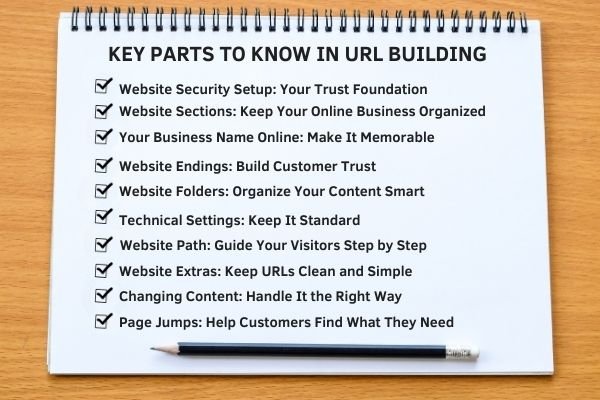
URL Building Blocks: 10 Key Parts Every Business Needs to Know
Learning URL structure isn’t just tech stuff – it’s your competitive edge. Businesses that master these parts beat competitors who ignore their URL setup.
1. Website Security Setup: Your Trust Foundation
The security part tells browsers how to reach your website. For today’s websites, this choice is critical.
HTTPS is required for all modern websites. Google confirmed that secure sites rank higher than unsecured ones. Even more important, customers expect protection when sharing personal details or buying products.
- HTTP: Basic web connection – no security protection
- HTTPS: Secure web connection – encrypted and safe
- FTP: File transfer method – rarely used for websites
- Mailto: Email links for easy customer contact
Business Results: Websites using HTTPS get 23% more contact form submissions and completed purchases. Customers leave unsecured sites when asked for sensitive information. Google‘s Web Fundamentals emphasizes HTTPS as a ranking factor and trust signal.
2. Website Sections: Keep Your Online Business Organized
Subdomains create separate areas within your main website. They help you grow in an organized way instead of creating a messy site.
Smart businesses use subdomains for specific purposes:
- blog.yourbusiness.com: – Content that builds your expertise and authority
- shop.yourbusiness.com – Separate online store area
- support.yourbusiness.com – Customer help and service section
Think about location-based sections: “miami.yourbusiness.com” and “orlando.yourbusiness.com”. However, simple folders often work better for local search rankings, especially for businesses targeting specific geographic markets like our Denver SEO services.
3. Your Business Name Online: Make It Memorable
This is your company name in web form. It needs to stick in people’s minds and work well for your brand. Try to include your service type or location when possible.
Great Examples:
- atlantaplumbing.com – Shows clear service plus location
- smithlawfirm.com – Personal brand plus business type
- coastalrealestate.com – Easy to remember plus industry
Companies with branded domain names get 40% better customer memory than generic keyword-stuffed domains. This principle extends to all aspects of digital marketing, including professional web design that reinforces brand recognition.
4. Website Endings: Build Customer Trust
The website ending comes after the final dot in your web address. For most businesses, .com works best and builds the most trust. But you have other choices:
- .com – Most popular and trusted by customers
- .org – Usually for nonprofits and charities
- .net – Originally for tech and network companies
- .shop, .tech, .blog – Newer endings for specific business types
- .us, .uk, .ca – Country-specific endings for local businesses
My advice? Choose .com unless you have a strong brand reason for a different ending.
5. Website Folders: Organize Your Content Smart
This is where businesses win or lose online. Your website folder setup shows search engines and customers how your content fits together.
Smart Business Folder Structure:
- yourbusiness.com/services/web-design/
- yourbusiness.com/locations/downtown-miami/
- yourbusiness.com/about/team-leadership/
Poor Structure Examples:
- yourbusiness.com/category/subcategory/service/detail/page/
Keep it simple. Use three levels maximum. Visitors should understand your website organization right away. This organizational approach works particularly well for service-based businesses offering multiple specialties, such as comprehensive marketing services that need clear navigation paths.
6. Technical Settings: Keep It Standard
Most websites use standard technical settings that work automatically. Regular websites don’t need special number codes in their web addresses.
The important part: search engines work best with standard settings. Custom technical setups can make it harder for people to reach your website. Moz’s technical SEO guide explains how standard configurations improve crawl efficiency and user experience.
7. Website Path: Guide Your Visitors Step by Step
Your website path acts like directions for search engines and visitors. It should lead people from general topics to specific details in a logical way.
Smart Business Paths:
- /digital-marketing/ – Main service area
- /digital-marketing/seo-services/ – Specific service type
- /digital-marketing/seo-services/local-seo/ – Specialized service option
Each step gets more specific while staying clear. Visitors always know exactly where they are on your website.
8. Website Extras: Keep URLs Clean and Simple
Website extras are the parts after “?” in your web address. They send information to your website. Most businesses should use them carefully and not too often.
Smart Uses:
- ?utm_source=google – Track which marketing campaigns work
- ?location=miami – Filter content by office location
Poor Uses:
- ?sessionid=abc123xyz – Confusing tracking codes
- ?page=47&category=products – Unclear page navigation
Clean web addresses without too many extras rank higher in search results and get more customers. This becomes particularly important for businesses running Google Ads campaigns where clean URLs improve Quality Score and user experience.
9. Changing Content: Handle It the Right Way
When businesses need content that changes – product lists, search results, user pages – website extras become necessary.
Smart Practices:
- Use clear names: ?service=consulting instead of ?s=cons
- Keep extra codes short and simple
- Use proper tags to avoid duplicate page problems
- Consider clean URLs for important customer-facing pages
10. Page Jumps: Help Customers Find What They Need
Page jumps are the parts after “#” in web addresses. They link directly to specific sections on your page. For businesses, they make long pages easier to use.
Smart Ways to Use Them:
- /services/#digital-marketing
- /faq/#pricing-questions
- /testimonials/#before-after-results
Page jumps help customers find specific information fast. This matters a lot for service businesses where customers need exact details.
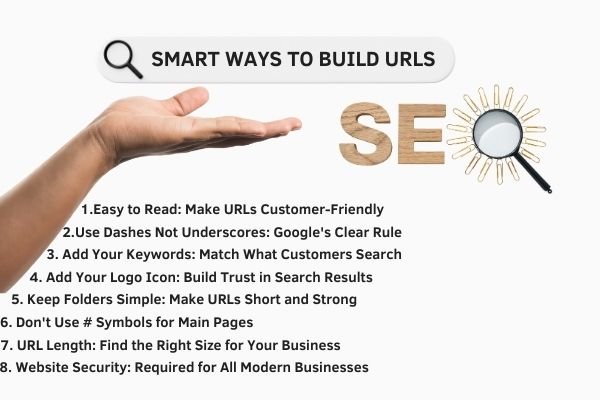
8 Smart Ways to Build URLs That Grow Your Business
After fixing URLs for hundreds of websites in different industries, these eight rules always work. They’re not just tech tips – they’re business growth strategies that look like simple URL changes.
1. Easy to Read: Make URLs Customer-Friendly
Your web address should make sense to any potential customer looking at it.
Poor Business URL: yourbusiness.com/srv/23/cat-4/subcat-12/service-opt-b/
Smart Business URL: yourbusiness.com/services/social-media-marketing/
What’s the difference? Trust. Customers click on web addresses they understand. Search engines reward URLs that make users feel confident.
When URLs are easy to read, people click more often. If customers can quickly see what the page covers just from the link, it builds trust and increases clicks. Ahrefs research on click-through rates confirms that descriptive URLs significantly improve user engagement.
2. Use Dashes Not Underscores: Google’s Clear Rule
Google treats underscores as connectors, not separators. This small detail makes a big difference for businesses.
Wrong: digital_marketing_services Right: digital-marketing-services
Google reads the first as “digitalmarketingservices” – one confusing word. The second reads as three separate, searchable words.
This works in real life. I’ve seen businesses jump from page 4 to page 1 for tough keywords just by changing underscores to dashes in their URLs.
3. Add Your Keywords: Match What Customers Search
Your URLs should include the exact words customers type when looking for your services. Here’s the key insight: don’t stuff keywords – match what customers actually want.
Smart Business URL Examples:
- /plumbing-repair-emergency/ – Service plus urgent need
- /wedding-photography-packages/ – Service plus buying interest
- /digital-marketing-small-business/ – Service plus target customer
Each URL matches how real customers actually search. The result? Better rankings for search terms that turn into sales. This strategy works especially well for location-specific services, like our Las Vegas SEO agency targeting local businesses.
4. Add Your Logo Icon: Build Trust in Search Results
Small website icons might seem unimportant, but they build crucial trust for businesses. When customers see your logo next to your web address in search results, bookmarks, and browser tabs, it strengthens your brand.
A clear, branded logo icon helps customers recognize your website everywhere it appears. It builds trust over time and encourages people to return to your site. Google’s PageSpeed Insights includes favicon optimization as part of their performance recommendations.
5. Keep Folders Simple: Make URLs Short and Strong
Search engines give more importance to content closer to your main website address. For businesses, this means choosing what gets top-level placement carefully.
Weak Structure: yourbusiness.com/services/marketing/digital/social-media/management/
Strong Structure: yourbusiness.com/social-media-marketing/
The second setup gives “social-media-marketing” more search power. It also creates a shorter, easier-to-share web address that customers can remember and type directly.
6. Don’t Use # Symbols for Main Pages
While page jumps (#) work great for moving to specific sections, don’t use them as your main way to organize your website. Google clearly recommends against using too many # symbols for navigation.
Use # symbols for:
- Jumping to FAQ sections
- Linking to specific customer reviews
- Moving through long service descriptions
Don’t use # symbols for:
- Main service pages
- Location pages
- Primary contact pages
This guidance comes directly from Google Search Central documentation, which explains how fragments can complicate search engine crawling.
7. URL Length: Find the Right Size for Your Business
Google’s research shows web addresses over 60 characters usually rank lower. For businesses, shorter URLs also give customers a better experience.
Best Business URL Length: 35-55 characters
Examples:
- yourbusiness.com/seo-services/ – 29 characters, perfect length
- yourbusiness.com/comprehensive-digital-marketing-solutions-atlanta-georgia/ – 73 characters, too long
Shorter web addresses are easier to share, remember, and type on phones where most people search. This principle applies across all digital marketing channels, including effective Google Ads consulting where shorter URLs improve ad performance.
8. Website Security: Required for All Modern Businesses
HTTPS security isn’t just for search rankings – it’s a trust and safety requirement for today’s businesses.
Benefits Beyond Search Results:
- Customer trust in your online presence
- Protection against stolen customer data
- Access to advanced website features like location services
- Meeting modern security requirements
Websites without HTTPS security lose customer trust, especially on contact forms and checkout pages. Modern browsers show HTTP sites as “Not Secure,” which stops visitors from sharing personal information. Web.dev security guidelines provide comprehensive coverage of why HTTPS is essential for modern websites.

URL Strategy for Healthcare: What Medical Practices Need to Know
While URL tips work for all businesses, medical practices face special challenges that need different approaches. Medical website success requires balancing getting found online, building patient trust, following rules, and handling sensitive health information carefully.
Healthcare Website Challenges
Patient Trust and Clear Information
Healthcare web addresses must quickly show credibility and expertise. Patients looking up symptoms or treatments late at night need to feel confident about where they’re clicking.
Poor Healthcare URL: medicalpractice.com/dept/12/proc/surgery-b/info/
Smart Healthcare URL: medicalpractice.com/mohs-surgery-dermatology/
The difference in patient confidence is huge. Healthcare URL improvements show amazing results:
- More Patient Bookings: 85-200% improvement in online appointment scheduling
- Better Trust: Up to 60% longer time spent reading service pages
- Local Search Success: Healthcare practices with optimized URLs get around 40% more local search visits
Healthcare URL Smart Practices
- Add Your Location: Include city or region in web addresses for local search success
- Use Patient Language: Use exact words patients search for, not medical jargon
- Protect Privacy: Make sure URLs don’t accidentally show patient information
- Work on Mobile: 73% of healthcare searches happen on phones
Smart Healthcare URL Examples:
- /pediatric-dentistry-orlando/
- /emergency-orthopedic-surgery/
- /telemedicine-consultations/
- /insurance-accepted-providers/
Privacy Rules and URL Safety
Healthcare practices must make sure their web address setup doesn’t create privacy rule problems:
- Never put patient names or IDs in web addresses
- Avoid tracking codes that could identify people
- Use secure settings for patient portal access
- Set up proper redirects for old web addresses
Healthcare’s special requirements make URL improvement both harder and more valuable. Practices that do this right don’t just rank better in search – they build stronger patient relationships and grow more steadily. Similar attention to detail benefits businesses in other regulated industries, including our New Brunswick SEO services for professional service providers.
Different Business Types Need Different URL Setups
Different business types need custom web address strategies. Online stores need product-focused setups, while service businesses work better with expertise-focused organization.
Online Store URL Setup:
- /products/electronics/smartphones/iphone-15-pro/
- /categories/clothing/mens-shirts/
- /brands/nike/running-shoes/
Service Business URL Setup:
- /services/marketing/seo-consulting/
- /expertise/legal/personal-injury/
- /solutions/software/custom-development/
Why URL Setup Matters More Than Ever
The online world has completely changed. Customers don’t just search for “doctor near me” anymore – they research specific services, compare providers, and make decisions based on online trust signals.
Your URL setup is the foundation that either helps or hurts every other SEO effort you make. When done right, it creates multiple benefits:
- More Clicks: Clear web addresses build confidence in search results
- Better Mobile Use: Short, clean URLs load faster on phones
- Local Search Success: Location-specific URLs help you dominate local search results
- Smoother Customer Journey: Logical URL setup guides visitors through your content naturally
- Future Growth Protection: Good setup from the start prevents expensive redirects and lost rankings
SEMrush’s comprehensive URL study demonstrates how proper URL structure correlates with higher search rankings and improved user engagement metrics across all industries.
Your Step-by-Step Plan: Fix Your Business URLs
Step 1: Check – Review your current web addresses and find problems
Step 2: Plan – Design a clear, search-friendly URL setup
Step 3: Do – Make changes, set redirects, update links
Step 4: Improve – Test, refine, and grow what works
Ready to transform your business’s URL setup? Here’s the step-by-step approach I use with clients in all industries:
Step 1: Check Your Current Setup
- List all existing web addresses
- Find ranking pages you can’t change
- Note problematic patterns
- Focus on highest-impact changes first
Use tools like Screaming Frog SEO Spider to audit your current URL structure and identify optimization opportunities across your entire website.
Step 2: Plan Your New Organization
- Create clear service or product categories
- Plan location-based URL strategies
- Design customer journey paths
- Make sure structure works on phones
Step 3: Make Changes Systematically
- Use new URLs for new content first
- Set up redirects for changed web addresses
- Update internal linking throughout site
- Watch rankings during the transition
Monitor your progress using Google Search Console to track how URL changes affect your search performance and identify any issues that need immediate attention.
Step 4: Improve and Grow
- Test URL variations for key pages
- Apply successful patterns to new content
- Connect with overall SEO strategy
- Track customer behavior improvements
Conclusion
Your website’s URL structure is the invisible foundation that determines your online success. Every day you delay fixing messy URLs is another day customers click on your competitors instead of you. The businesses winning online right now didn’t get there by accident – they built smart URL structures that search engines love and customers trust.
Start with your most important pages today. Apply the 8 smart practices we’ve covered. Check your current setup, plan your improvements, and make systematic changes. Your customers are searching for your services right now. Make sure your URLs help them find you, trust you, and choose you over the competition.
The tools and knowledge are in your hands. Your competitors are making these changes while you read this. Don’t let another potential customer slip away because of poorly structured URLs. Your business growth depends on the foundation you build today. If you need professional guidance implementing these strategies, contact our team for personalized URL optimization support.
Frequently Asked Questions
How long does it take to see results from URL changes?
Most businesses see improvements within 2-4 weeks after URL changes. Search engines need time to crawl your new URLs. You’ll notice click-through rate improvements first, then ranking changes. Monitor progress and set up redirects to maintain rankings.
Can I change URLs on pages that already rank well?
Yes, but use 301 redirects carefully with high-ranking pages. Google treats these as permanent moves and transfers most ranking power. Focus on changing URLs that need improvement first. Sometimes minor tweaks work better than complete overhauls.
What’s the biggest URL mistake small businesses make?
Using generic URLs like “/page123/” or “/service-b/” that tell customers nothing. These reduce trust and hurt rankings. Businesses also stuff keywords into URLs, which looks spammy. Focus on clear, descriptive URLs matching customer searches.
Should I include my business location in every URL?
Include location when it makes sense for local search success. Use location-based URLs for service pages and location-specific content. Don’t force location into every URL though. Blog posts and general content don’t always need location keywords.
How do I handle URL changes without losing search rankings?
Set up 301 redirects immediately after changes. This preserves ranking power and tells search engines pages moved permanently. Update all internal links to new URLs. Monitor rankings for 4-6 weeks after changes.
