
How Can You Effectively Implement Pagination In SEO?
Pagination splits website content across multiple pages to improve user experience and page load times. Common examples include category pages, article archives, photo galleries, and forum threads with numbered page navigation. At Eclipse Marketing, we help businesses implement effective pagination strategies that balance user experience with search engine optimization requirements.
SEO pagination requires specific technical implementation to prevent ranking issues. Poor pagination setup causes duplicate content problems, dilutes ranking signals, and wastes crawl budget. However, proper implementation using rel=”next” and rel=”prev” attributes with self-referencing canonical tags maintains SEO performance.
The best pagination SEO practice uses crawlable anchor links with href attributes, URL parameters instead of static paths, and excludes paginated pages from XML sitemaps. Avoid pointing all paginated pages to the first page or using noindex tags, as these approaches harm content discoverability.
Modern websites using infinite scroll or “load more” buttons need traditional pagination fallbacks for search engines. Google’s crawlers cannot scroll or click buttons, making standard pagination links essential for content accessibility and proper indexing.
Why Pagination Can Damage Your SEO Rankings
You’ve likely heard that pagination hurts SEO performance.
Most of the time, this happens because of poor pagination setup. The problem isn’t pagination itself but how websites handle it wrong.
Let’s examine the common pagination problems that harm SEO. We’ll also show you how to fix these ranking issues through proven SEO strategies that maintain both user experience and search engine visibility.
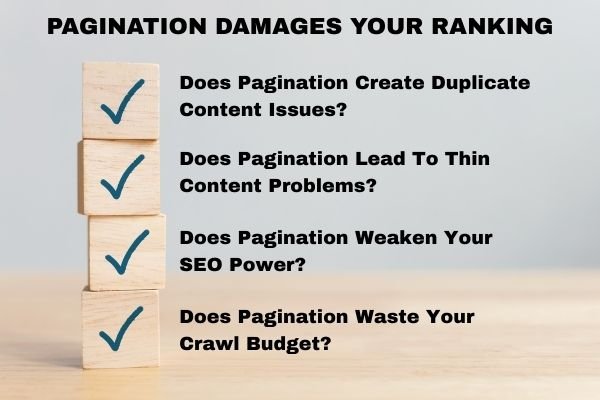
Does Pagination Create Duplicate Content Issues?
This is true when you set up pagination the wrong way. Problems happen when you have both “View All” pages and split pages. This creates issues if you don’t use proper canonical tags correctly. You’ll also face problems if you create a page=1 URL alongside your main page.
This is false when your pagination follows SEO best practices. Your page titles and descriptions might look similar across pages. But the actual content on each page is different. This means you don’t have duplicate content problems.
Does Pagination Lead To Thin Content Problems?
This is true when you split articles or photo galleries just to show more ads. This happens when you break content into too many small pieces. Each page ends up with very little useful content for readers.
This is false when you focus on what users actually want. Put user experience first instead of chasing extra page views or ad money. Make sure each page has enough valuable content to satisfy visitors. Professional web design considers both content quality and pagination structure to create optimal user experiences.
Does Pagination Weaken Your SEO Power?
This is always true. Pagination spreads your link strength and ranking power across multiple pages. Internal links, backlinks, and social shares get split up instead of staying concentrated.
But you can reduce this problem by only using pagination when one long page would hurt user experience. Online stores with category pages are a good example. On these pages, show as many items as possible without making the page load slowly. This keeps your total page count lower while maintaining fast page performance standards.
Does Pagination Waste Your Crawl Budget?
This is true when you let Google crawl all your paginated pages freely. Sometimes this makes sense though. You might want Google to crawl through pagination links to find important content buried deeper in your site.
This is usually false when you control how Google crawls these pages. You can tell Google Search Console to skip pagination parameters. You can also use robots.txt to block crawling. This saves your crawl budget for more important pages instead.

How To Handle Pagination The Right Way For SEO
Make Your Pagination Links Easy To Crawl
Search engines need proper links to crawl your paginated pages effectively. Your website must use anchor links with href attributes that point to these URLs.
Always use <a href=”your-page-url-here”> for linking to paginated pages. Don’t load these links through JavaScript code. Search engines have trouble following JavaScript-loaded links, which is why modern web development emphasizes progressive enhancement approaches.
You should also show how your paginated pages connect to each other. Use rel=”next” and rel=”prev” attributes to indicate page relationships.
Google once said they don’t use these link attributes anymore. But shortly after, Google’s Ilya Grigorik said rel=”next” and “prev” can still help. Remember that Google isn’t the only search engine that matters.
Add a self-referencing canonical link alongside the next/prev tags. So /category?page=4 should have rel=”canonical” pointing to /category?page=4.
This approach works because pagination changes the page content. Each page is the master copy of itself.
If your URL has extra parameters, include them in the rel=”prev” and “next” links. But don’t include them in the rel=”canonical” link.
Here’s an example: <link rel=”next” href=”https://www.example.com/category?page=2&order=newest” /> <link rel=”canonical” href=”https://www.example.com/category?page=2″ />
This setup shows clear relationships between pages. It also prevents duplicate content issues when implemented correctly alongside comprehensive SEO consulting strategies.
Common Mistakes You Must Avoid
Don’t put link attributes in the <body> section of your HTML. Search engines only recognize them in the <head> section.
Never add a rel=”prev” link to your first page in the series. Also don’t add a rel=”next” link to your last page. All middle pages should have both link attributes.
Watch out for your root page canonical URL. On page 2, rel=prev should link to your main page, not to a ?page=1 version. These technical details are crucial for Google Ads landing page optimization and overall campaign performance.
How To Set Up Your Pagination Tags Correctly
Here’s how the <head> code should look for a four-page series:
Root page gets one tag pointing forward:
- <link rel=”next” href=”https://www.example.com/category?page=2″>
- <link rel=”canonical” href=”https://www.example.com/category”>
Page 2 gets two tags pointing both ways:
- <link rel=”prev” href=”https://www.example.com/category”>
- <link rel=”next” href=”https://www.example.com/category?page=3″>
- <link rel=”canonical” href=”https://www.example.com/category?page=2″>
Page 3 gets two tags pointing both ways:
- <link rel=”prev” href=”https://www.example.com/category?page=2″>
- <link rel=”next” href=”https://www.example.com/category?page=4″>
- <link rel=”canonical” href=”https://www.example.com/category?page=3″>
Final page gets one tag pointing backward:
- <link rel=”prev” href=”https://www.example.com/category?page=3″>
- <link rel=”canonical” href=”https://www.example.com/category?page=4″>
How To Make Your Main Page Rank Higher Than Paginated Pages
Google’s John Mueller explained that they treat paginated pages like normal pages. Google doesn’t see pagination as one consolidated piece of content anymore. Every paginated page can compete against your main page for rankings.
You want Google to show your main page in search results instead of paginated pages. To prevent duplicate title and description warnings in Google Search Console, make simple changes to your code.
Make your paginated page titles and descriptions less appealing on purpose. This discourages Google from showing these pages instead of your main page.
If paginated pages still show up in search results after these changes, try these additional tactics:
Make your paginated page headlines less optimized for search. Add useful text content to your main page but not to paginated pages. Include a category image with an optimized file name and description on your main page only. This strategic approach works particularly well for local SEO campaigns targeting specific geographic markets.
Keep Paginated Pages Out Of Your XML Sitemap
Paginated pages can technically get indexed by search engines. But they shouldn’t be your SEO priority for crawl budget spending.
This means paginated URLs don’t belong in your XML sitemap file. Focus your sitemap on high-value pages that drive business results and conversions instead.
Use URL Parameters Instead Of Static Paths
Choose URL parameters for pagination when possible. Use example.com/category?page=2 instead of example.com/category/page-2.
Both URL styles work equally well for ranking and crawling purposes. But research shows Google can guess URL patterns better with dynamic parameters. This helps Google discover your pages faster.
There’s one potential downside to watch out for though. Google might guess pagination URLs that don’t actually exist on your site. This creates crawling traps that waste your crawl budget.
Here’s an example of what can go wrong. Let’s say your category has four pages total. Your real URLs end at www.example.com/category?page=4.
Google might guess www.example.com/category?page=7 exists and try to crawl it. If your site shows an empty page instead of an error, Google wastes time crawling infinite fake pages.
Always return a 404 error code for any pagination URLs that aren’t part of your real series. This technical implementation aligns with Google’s official SEO guidelines for proper error handling.
The parameter approach gives you another big advantage. You can control these parameters directly in Google Search Console. Set the parameter to “Paginates” mode initially. Later you can change it to crawl “Every URL” or “No URLs” based on your crawl budget needs. No developer help required.
Never use fragment identifiers (#) for pagination content. Search engines can’t crawl or index these fragments. This makes them completely useless for SEO purposes.

Wrong Pagination SEO Advice You Should Ignore
Bad Advice: Just Do Nothing About Pagination
Google says their crawlers are smart enough to find next pages through links. They don’t need any special signals from you.
Google’s message to SEO professionals is simple: handle pagination by doing nothing at all.
This advice has some truth to it. But doing nothing means you’re taking a big gamble with your SEO results.
Many websites have watched Google choose a paginated page to rank instead of their main page. This happens more often than you’d think.
You should always give clear guidance to search crawlers. Tell them exactly how you want your content indexed and displayed. This proactive approach is especially important for businesses serving multiple markets, such as those targeting New Brunswick or Las Vegas audiences.
Bad Advice: Point All Pages To A “View All” Page
The “View All” page idea sounds logical at first. Put all your paginated content on one single URL instead.
Then make all your paginated pages point their canonical tags to this “View All” page. This should consolidate all your ranking power in one place.
The thinking goes like this: searchers want to see complete articles or full category lists on one page. As long as it loads fast and navigates easily, users prefer this approach.
The theory suggests search engines will favor your “View All” page over individual paginated segments. This makes sense if the complete page offers better user experience.
But this raises an important question: why create paginated pages at all?
Let’s simplify this decision for you.
If you can show your content on one URL with good user experience, skip pagination entirely. You don’t need a “View All” version either.
If you can’t do this, then pagination makes sense. For example, a category page with thousands of products would be huge and slow. In this case, don’t create a “View All” page because it won’t give users a good experience.
Using both rel=”next/prev” tags and a “View All” version sends mixed signals. Search engines get confused about which page you want them to prioritize.
Don’t mix these approaches together. SEO best practices emphasize consistency and clear signals to search engines.
Bad Advice: Point All Paginated Pages To The First Page
Another common mistake involves canonical tags pointing the wrong direction. Some people make all their paginated pages point back to the main page.
Poorly informed SEO professionals suggest this approach to consolidate authority. They want all the ranking power to flow back to the root page. But this thinking is completely wrong.
Wrong canonical tags create serious problems for search engines. Google might think you only have one page of results instead of a series.
This means Google won’t index the deeper pages in your pagination chain. Google also won’t recognize the important content and links on those pages.
You don’t want valuable content pages disappearing from search results because of bad pagination setup.
Each page in your paginated series should point its canonical tag to itself. Only use a different approach if you’re using a “View All” page strategy.
Use canonical tags wrong and Google will probably just ignore your signals completely. This is why technical SEO audits should always include pagination review as a core component.
Bad Advice: Block Paginated Pages With Noindex Tags
The old-school solution was to add noindex tags to all your paginated pages. This prevented search engines from indexing paginated content entirely.
Using noindex tags alone for pagination creates big problems though. You’ll lose all the ranking signals from those blocked pages.
The bigger issue comes from long-term noindex usage. Google will eventually stop following links on pages that stay noindexed for too long.
This could cause important content linked from your paginated pages to disappear from search results completely.
How To Make Infinite Scroll And Load More SEO-Friendly
Modern websites often use newer pagination approaches that users love. But search engines struggle with these methods.
Infinite scroll: loads new content automatically as users scroll down the page. Load more buttons reveal additional content when users click them.
Users enjoy these smooth experiences. But Google’s crawlers don’t scroll down pages or click buttons like real people do.
This means search engines can’t reach all your content without help. They’ll miss important pages buried deeper in your infinite scroll or load more setup.
How To Fix Infinite Scroll And Load More For SEO
You need to create traditional paginated links that search engines can follow. Build a normal pagination series using clickable anchor links with proper href attributes.
Make sure these links work even when JavaScript is turned off. This gives search engines a clear path to all your content.
As users scroll or click your load more button, use JavaScript to update the URL in their address bar. Change it to match the equivalent paginated page URL.
Add pushState functionality for any user action that acts like turning a page. John Mueller created a demo showing how this technique works properly.
You’re essentially building the best SEO practices we covered earlier. Then you’re adding the smooth user experience features on top of that foundation. This approach aligns with modern web development principles for progressive enhancement.
Should You Block Search Engines From Crawling Paginated Pages?
Some SEO professionals suggest avoiding pagination problems entirely. They recommend blocking Google from crawling paginated URLs completely.
If you choose this approach, you’ll need excellent XML sitemaps. These sitemaps ensure that pages linked through pagination still get indexed.
You have three ways to block crawlers from paginated pages:
- The messy approach: Add nofollow tags to all links pointing to paginated pages.
- The cleaner approach: Use robots.txt file to disallow crawling of these URLs.
- The easiest approach: Set your pagination parameter to “Paginates” in Google Search Console. Then tell Google to crawl “No URLs” for this parameter.
Blocking pagination crawling has these consequences:
Search engines won’t recognize the ranking signals from your paginated pages. Internal link strength won’t flow from paginated pages to your main content pages. Google will have harder time discovering your important destination pages.
The main benefit is saving your crawl budget for more important pages.
There’s no clear right or wrong choice here. You need to decide what matters most for your specific website.
If you want to prioritize crawl budget savings, use Google Search Console for pagination handling. This gives you the flexibility to change your approach later without developer help. For businesses needing comprehensive guidance, professional marketing services can help evaluate the best approach for your specific situation.
How To Track The Impact Of Your Pagination Changes
Now you know what to do with pagination. But how do you measure if your changes actually worked?
Start by gathering baseline data to understand your current pagination performance. This shows you exactly how pagination affects your SEO right now.
You can get key performance data from several sources:
- Server log files show you how many times Google crawls your paginated pages.
- Site search operators help you count indexed paginated pages. Try searching “site:example.com inurl:page” in Google.
- Google Search Console lets you filter the Search Analytics Report by pagination pages. This shows how many impressions these pages get in search results.
- Google Analytics landing page reports can be filtered by paginated URLs. This reveals how users behave when they land on these pages.
If you discover that search engines struggle to crawl your pagination and reach your content, consider changing your pagination links.
After you launch your improved pagination setup, check these same data sources again. This shows you whether your optimization efforts actually improved your SEO performance. For additional support with tracking and optimization, consider reaching out through our contact page to discuss comprehensive SEO monitoring strategies.
Conclusion
Effective pagination handling is crucial for SEO success. The key is balancing user experience with search engine accessibility. Use proper rel=”next” and “prev” tags with self-referencing canonicals. Avoid common mistakes like pointing all pages to the first page or using noindex tags.
Modern techniques like infinite scroll require traditional pagination fallbacks for search engines. Choose URL parameters over static paths for better control. Monitor your pagination performance through server logs, Search Console, and Analytics.
Remember that pagination always dilutes ranking signals, but proper implementation minimizes negative impacts. Focus on crawl budget efficiency while ensuring important content remains discoverable. Skip outdated advice and implement proven best practices.
Your pagination strategy should evolve with your website’s growth and changing SEO landscape.
Frequently Asked Questions
What’s the best way to handle pagination for SEO?
Use crawlable anchor links with proper href attributes. Add rel=”next” and rel=”prev” attributes plus self-referencing canonical tags. Choose URL parameters like ?page=2 for better Search Console control.
Should I use a “View All” page for my paginated content?
Only if it provides better user experience without performance issues. Never combine “View All” pages with rel=”next/prev” tags. Choose one approach consistently.
Does pagination hurt my website’s SEO rankings?
Pagination spreads ranking signals but won’t hurt SEO if implemented correctly. Poor setup causes real damage, not pagination itself. Use proper technical implementation.
Can I block Google from crawling my paginated pages?
Yes, through Search Console, robots.txt, or nofollow tags. This saves crawl budget but loses ranking signals. Ensure excellent XML sitemaps for linked content.
How do I make infinite scroll SEO-friendly?
Build traditional paginated links as foundation. Use JavaScript to update URLs as users scroll. Ensure links work without JavaScript for search engines.

Mike has over 5 years of experience helping clients improve their business visibility on Google. He combines his love for teaching with his entrepreneurial spirit to develop innovative marketing strategies. Inspired by the big AI wave of 2023, Mike now focuses on staying updated with the latest AI tools and techniques. He is committed to using these advancements to deliver great results for his clients, keeping them ahead in the competitive online market.