
How Do I Optimize SEO For My Google Business Profile?
Google Business Profile SEO optimization requires eight essential steps: verify your business listing, complete all profile information, maintain accurate data, ensure NAP consistency across websites, select relevant categories, add high-quality photos, encourage customer reviews, and use Google Posts regularly. These strategies help local businesses rank higher in Google’s local 3-pack results and Google Maps searches.
97% of consumers research local companies online before making purchasing decisions. Your Google Business Profile serves as a free digital storefront that displays business information directly to local customers searching in your area. At Eclipse Marketing, we understand that when optimized correctly, it ranks second in importance among all marketing channels for local businesses, outperforming social media, email marketing, and paid advertising.
Google determines local search rankings using three primary factors: relevance (how well your business matches search queries), distance (proximity to the searcher), and prominence (business reputation and authority). According to Google Search Central documentation, local searches convert to purchases 28% of the time, making Google Business Profile optimization crucial for driving sales and website traffic.
This comprehensive guide covers profile setup, verification processes, optimization techniques, troubleshooting common issues, and performance tracking. You’ll learn expert-recommended strategies from 53 SEO professionals and discover how to dominate local search results organically.

What Is Google Business Profile?
Google Business Profile (formerly Google My Business) is a free listing service for businesses. You can upload photos, location details, services, products, and other important business information. Creating a profile boosts your business visibility across Google Search and Maps services. Your business must have a physical location and serve customers in person.
Google Business Profile benefits businesses of every size and type significantly. It helps you manage your online presence and attract local customers effectively. People searching for your business on Google will find you more easily through improved local SEO strategies.
With your Google Business Profile, you can share product and service photos regularly. You can update business details like name, location, and operating hours instantly. Responding to customer reviews becomes simple and helps build customer relationships. These actions improve your business visibility and customer engagement over time consistently.
Google Business Profile costs nothing and offers tremendous value for business growth. The only requirement is having a physical business location for customers.
We surveyed 53 SEO experts about marketing channels for local businesses recently. They ranked websites, email marketing, content marketing, SEO, and advertising by importance. Local business websites ranked first in importance for customer acquisition success.
Google Business Profile listings ranked second in importance among all marketing channels. Our experts agreed that Google Business Profile beats social media marketing significantly. It outperforms content marketing, email campaigns, and Yelp directory listings consistently. Google Business Profile also outranks all types of paid advertising options.
Why Is Google Business Profile Important for Local SEO?
Here are 5 main reasons your business needs a Google Business Profile:
Boost Your Search Rankings and Business Visibility
Following Google Business Profile SEO best practices significantly improves your search rankings. It also increases your overall business visibility in local search results. When potential customers search for your products or services using keywords, they see results in a specific order. Google Ads appear first, followed by the local 3-pack results section. Organic search results come after these paid and local listings.
Creating a Google Business Profile increases your chances of ranking in local results. You can appear in the top 3 local businesses, Google Maps, and local finder tools. This increased visibility generates more business exposure and potential customer leads. Your business becomes more discoverable when people search for services you provide.
Improves Your Customer Support and Engagement
Google Business Profile helps you respond faster to customer comments and questions. You can address both negative and positive feedback about your products quickly. This direct communication builds stronger relationships with your customer base effectively.
Customers prefer working with businesses they can contact easily and reliably. Your shared contact information makes it simple for them to reach you. They can call with questions, concerns, or complaints without searching extensively. This accessibility increases customer trust and encourages more business interactions consistently.
Increase Sales and Website Traffic
Local searches lead to purchases 28% of the time regularly. Having a Google Business Profile clearly boosts your website traffic numbers. When people search for products or services you offer, they click your website naturally. They want to learn more about your business and what you provide.
Effective landing pages and clear call-to-action buttons convert visitors into customers. Professional web design services ensure these landing pages perform optimally. People who find you through local search are more likely to complete purchases. Your Google Business Profile acts as a powerful traffic driver for sales.
It Helps You Reach More Potential Customers
An updated Google Business Profile attracts and engages a broader audience effectively. This reach would be difficult to achieve without running expensive advertising campaigns. Your profile acts as free marketing that connects you with local customers.
Builds Your Brand as a Trusted Business Authority
Customer reviews positively impact how potential customers view your business reputation. A 4.7-star rating shows that your business excels at providing quality service. People are more likely to choose businesses with high ratings and reviews. Positive reviews establish credibility and trust with new customers searching online.
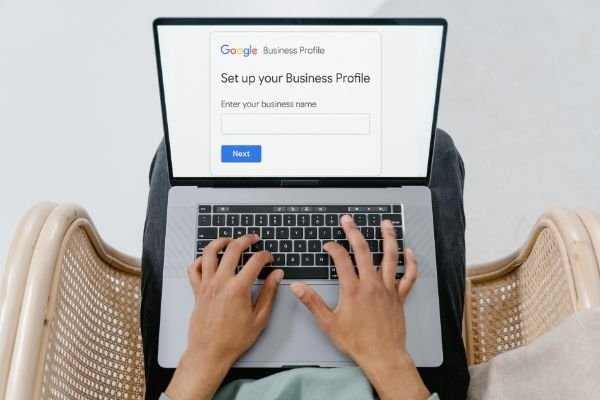
How to Set Up Your Google Business Profile Account?
Setting up a Google Business Profile account might feel overwhelming initially. However, it’s actually quite simple when you follow the correct steps. Getting your business listed on Google requires just a few basic actions.
Step 1: Go to Google Business Profile and Set Up Your Account
Start by visiting https://business.google.com/create to begin the registration process. Create a new Google Account or sign into your existing one. Use an email address with your business domain name for best results.
Step 2: Claim Your Existing Business
Before claiming a business, check carefully if it already exists online. Look for businesses with the same name and location as yours. If an old business profile exists at your location, suggest an edit to close it properly.
If no existing profile matches your business, you can claim it easily. Go to Google Maps and type your business name in the search. Click “Claim this Business” if your business appears in results.
To create a completely new profile, simply click “Add your business to Google.”
Step 3: Enter Your Business Name
Now add all your business details starting with your business name. Enter the exact name that appears on your business signage outside. This prevents confusion for customers trying to find your location.
Step 4: Select a Business Category
Choosing the right category increases your visibility in search engine results. Google matches your category to relevant customer searches effectively. Examples include “Restaurant,” “Tech Equipment,” “Bar,” or “Coffee Shop” categories.
Google offers more than 4,000 different categories for business classification. Finding your specific category shouldn’t be difficult with this extensive selection. Add category-specific services you offer, like vegetarian menu options for restaurants.
Including more detailed information improves your Google Business Profile SEO performance significantly. Understanding anchor text best practices helps optimize category descriptions for better search visibility.
Step 5: Add Your Business Location
Adding your business location is optional but highly recommended for SEO success. Use the exact same address across your website and social media accounts. Consistency in your address information is crucial for search engine optimization.
Google penalizes businesses with inconsistent address information across different platforms. Make sure your address matches everywhere it appears online exactly.
If you offer delivery services, add this information to your profile. Include all the areas where you provide delivery services clearly.
Step 6: Write Your Google Business Profile Description
This description differs from the text under your business name on Google. Google provides that information and you cannot change it directly.
Write your description in the “From the Business” section of your profile. This description creates your business’s first impression with potential customers online. Make it catchy and informative to attract customer interest effectively.
Step 7: Add Your Business Contact Information
Add important contact details like your phone number and website address here. These details help customers reach you easily when they need information.
Google offers a free website option if you don’t have one already. This feature helps businesses without websites get online quickly and affordably.
How to Verify Your Google Business Profile Listing
After creating your profile, you must verify it to complete the setup. This verification process doesn’t involve any technical or internet-related steps surprisingly. Google mails a postcard with a verification code to your business address. You should receive this postcard within approximately five business days normally.
Once you verify your account, you can access analytics and customer reviews. You’ll also see relevant business insights and performance data regularly through Google Search Console.
If you provide services without a physical address, contact Google support directly. They can arrange phone or email verification for service-based businesses instead.
How Does Google Determine Local Search Rankings?
Google considers three main factors when determining local business rankings:
Relevance – This measures how well your business matches what users search for. Provide Google with detailed business information to increase your appearance chances. The more complete information you share, the better Google understands your business.
Distance – This refers to how close your business location is to the searcher. Google uses the user’s current location or search terms to determine distance. If users don’t specify a location, Google uses their historical location data.
Prominence – Google evaluates how well-known and reputable your business is overall. It considers offline reputation factors and online mentions of your business. Google also reviews external links and articles that mention your business name.
While Google analyzes additional ranking factors, these three carry the most weight. Focus on these Google Business Profile SEO factors for better local rankings.
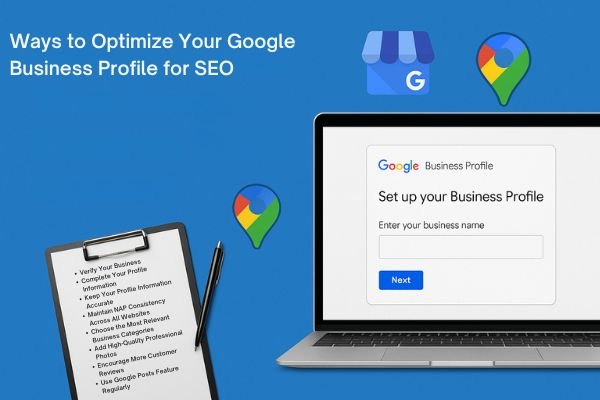
8 Ways to Optimize Your Google Business Profile for SEO
You now understand how important having a Google Business Profile is for local businesses. However, simply creating a profile isn’t enough to succeed in local search. You need to optimize your Google Business Profile SEO to rank higher effectively. This helps you appear in local search results and the local pack.
How do you optimize Google Business Profile listings for better local rankings? We surveyed SEO experts to share their best optimization practices and strategies. Here are 8 tips they recommend for improving your local search performance:
- Verify Your Business
- Complete Your Profile Information
- Keep Your Profile Information Accurate
- Maintain NAP Consistency Across All Websites
- Choose the Most Relevant Business Categories
- Add High-Quality Professional Photos
- Encourage More Customer Reviews
- Use Google Posts Feature Regularly
1. Verify Your Business
Before optimizing anything else, you must verify your business with Google first. We explained this process in an earlier section, but here’s a quick reminder.
After completing the account creation process, Google sends a four-digit verification code. This code arrives at the address you provided in your business details. Enter the code using the provided link when you receive it. This verification tells Google that your local business is legitimate and real. Google will then officially publish your new business profile for customers.
2. Complete Your Profile Information
After verifying your business, fill out your complete profile with all details. Many profile fields appear optional, but our survey respondents emphasize providing every relevant detail. Fill out all information that Google requests for best results.
“Google rewards businesses who take time to complete their profiles completely,” says Kenny Lange of Web Canopy Studio. “A complete profile forms the foundation for all other optimization strategies like reviews and Google Posts.”
Our respondents identified the most important profile details to include always. These include your business name, address, phone number, website link, and categories. However, don’t ignore other details like your service area descriptions either.
Cheyenne Schueman of Page 1 Solutions explains why completing services matters significantly. “Google Business Profile offers a handy ‘services’ feature accessible from the info panel. Filling out your products and services tells potential customers what you offer. It also keeps visitors on your profile longer, making Google see your business as more important than competitors.”
3. Keep Your Profile Information Accurate and Updated
Filling out your profile information isn’t enough for long-term success. You must ensure all information stays accurate and current over time consistently.
“The most important thing is making sure all listing information is accurate,” says Cindy Venerio of Nerds Support. “That might seem obvious, but many businesses have incorrect information displayed.”
“Google Business Profile listings become virtual storefronts for most businesses today,” says Dallin Hatch of Womply. “Set daily or weekly reminders to keep your information current and accurate.”
“You’d be surprised how often this basic customer touchpoint is outdated,” Hatch continues. “We find phone numbers out of service, websites down, emails bouncing, and locations listed incorrectly regularly.”
Casey Bryan of Grand Cru Digital recommends adding holiday hours when needed. This prevents customer confusion and maintains your business credibility effectively.
Imagine your listing shows Sunday hours, but customers arrive to find you closed. You lose sales and damage your business’s credibility with disappointed customers.
4. Maintain NAP Consistency Across All Websites
Keeping your Google Business Profile accurate isn’t sufficient for optimal performance. You must ensure consistency across all major local directories on the web. The most critical details are called NAP information: name, address, and phone number.
Google penalizes businesses when address or phone numbers differ between platforms. Your social media pages must match your Google Business Profile information exactly.
Andrew McLoughlin of Colibri Digital Marketing emphasizes this point clearly. “Make sure your NAP on Google Business Profile matches listings on your website exactly. It should also match your social profiles and directory listings perfectly.”
“Discrepancies are easily avoidable but can seriously damage your listing’s rankings,” McLoughlin warns.
Travis McGinnis of Vye Marketing recommends embedding Google Maps on your website’s contact page. “For businesses with multiple locations, do this for each location page. Include NAP information and map embeds for every location consistently.”
5. Choose the Most Relevant Business Categories
Selecting the right service categories appeared frequently in our respondents’ Google Business Profile SEO checklists. This feature heavily influences Google’s decision to display your local business in searches.
You can choose one primary category and nine secondary categories for optimization. With 4,000 available choices, every industry has suitable category options available.
“Make sure you select the most relevant, current category as your primary,” says Kyle Sanders of Complete SEO. “We’ve seen clients jump 5-10 positions simply by moving the most relevant category from secondary to primary.”
“Additionally, don’t go overboard on secondary categories that stretch relevance limits,” Sanders warns.
Joe Goldstein of Contractor Calls recommends researching categories strategically instead of guessing. “Search for target keywords, expand the local pack, and note displayed categories. Repeat this process with at least five other keyword variations.”
“Track this data on a spreadsheet to find overlooked categories,” Goldstein suggests. “It can also help you reconsider your primary category choice completely.”
“Your chosen categories determine which searches you’re eligible to rank for,” Goldstein explains. “Each category choice involves trade-offs, so understand your options and choose carefully.”
6. Add High-Quality Semi-Professional Photos
“Having pictures is one of the most important Google Business Profile aspects,” says Juliane Sunshine of Tandem Interactive. “The picture for a Google Business Profile listing plays an important role.”
“Pictures show Google that this is a legitimate business operating successfully. They give users an inside look at your business operations. They help build trust, which is a huge factor Google considers.”
“To improve rankings, use semi-professional pictures with the highest quality possible. Take photos of the outside, inside, and any small details. Every aspect can help boost your Google Business Profile listing rankings,” Sunshine explains.
Experts recommend “uploading high-quality office pictures and team photos. People like the human aspect of companies and businesses. Showing real people behind your company name attracts prospects to visit.”
Don’t forget to optimize your images like any other content type. Max Robinson of Green Bee Gardeners Fife explains this importance clearly. Professional photography combined with expert Google consulting ensures optimal image performance.
“Photos are seriously underrated for Google Business Profile ranking success. Google uses information like alt text, titles, captions, and geotagging within photos. This data helps determine your business location accurately. Without proper photo optimization, ranking for local results becomes very difficult.”
7. Encourage More Customer Reviews
After setting up your Google Business Profile completely, focus on getting more reviews. Reviews help your profile rank higher on search engines and Maps. They also influence how often people click on your business listing.
Here are effective strategies you can use:
Create a review strategy. This involves reaching out to customers individually and asking for reviews. You can also use automated tools to help manage this process. Ahrefs Blog provides comprehensive guidance on developing effective review generation campaigns.
Ensure your reviews are legitimate. Search engines want people to rate you naturally and easily identify spam. Even if automated systems miss fake reviews, real people will notice them. Focus on facilitating the genuine review process for customers.
Focus on quality over quantity. “Google now considers reviews with 200+ characters more valuable,” says Luke Wester of Miva. “The mission is generating positive reviews with descriptive sentences explaining why the business is good.”
Respond to all your reviews. “Responding to reviews shows customers you care about their experience,” says Amanda Putney of Portent. “Reviews contain valuable information about service and quality, especially for local businesses.”
Sam McCue of SmartBug Media reminds us that responding to negative reviews creates improvement opportunities. “I once received a perfect response to my bad review. It read: ‘Though we enjoy good reviews, reviews like yours help us become better. I thank you for candid feedback and am committed to making your next visit superb.’ My frustration disappeared, I returned, and ultimately changed my review,” McCue explains.
8. Use Google Posts Feature Regularly
Did you know that Google Business Profile lets you create interactive posts? These posts appear in search results and include website articles, blog posts, events like courses, and special promotions.
Creating high-quality posts increases user engagement and generates more business traffic effectively. Here are strategies our respondents recommend when writing these posts:
Write at least 10 posts initially. Steve Yanor of Sky Alphabet Social Media recommends writing 10 Google Business Profile posts or more. “These 10 posts expire after 14 days, but you can repost them easily. Each post should be around 1,000 words and contain keywords you want to rank for in Google searches.”
Add fresh content regularly. “Google prefers content that is up-to-date, new, and seasonally consistent,” says Irena Zobniow of Insightland. “Post updates regularly, add new photos, and write about recent company changes.”
How to Fix Google Business Profile Account Issues
Facing any Google Business Profile issue can feel overwhelming and completely understandable. You don’t want your hard work to suddenly disappear without warning.
Let’s review the most common Google Business Profile account issues and solutions:
- Account Suspension
- Managing User and Google Edits
Account Suspension
Google suspends local businesses that violate their guidelines without hesitation or warning. Common suspension causes include:
- Using an incorrect business name
- Creating multiple listings for the same business
- Posting content that violates guidelines
Before attempting to reinstate your suspended account, identify what caused the issue. Review the official Google Business Profile guidelines carefully and locate potential violations. Google won’t tell you the specific reason, so search meticulously.
After identifying the problem, solve it by making necessary profile changes. Remove incorrect information and delete any problematic content from your listing.
Once you’ve cleaned up violations, ask Google to review your account again. The reinstatement form requires your email, business name, and address information. You must also provide a legitimate reason why your account deserves reinstatement.
Remember that reactivating your account takes considerable time and effort consistently. Be extra careful not to break any rules initially.
Managing User and Google Edits
Google often edits your profile information or applies suggested edits from users. You receive notifications when these changes occur on your listing.
When you open a Google Business Profile listing, click “suggest an edit” to access editing options. Pressing “Change name or other details” lets you suggest edits for these elements:
- Business Name
- Category Selection
- Business Address
- Phone Number
- Website URL
- Photos
- Location Details
Clicking “close or remove” opens a different screen with closure options available.
Google doesn’t remove your listing simply because someone reports it as closed. Instead, you receive updates when they find contradictory information on your profile.
Google highlights features they think need changes using color coding systems. If your category appears highlighted in a certain color, they suggest changing it.
You can choose to apply these suggested changes or keep your original information. The best way to avoid unwanted Google edits is keeping everything updated. Make sure all profile information stays current and accurate consistently.
Most Important Google Business Profile Performance Metrics
Optimizing your Google Business Profile listing for higher rankings is excellent. However, knowing whether your changes were effective is even more valuable.
What metrics should you track in your Google Business Profile dashboard? You need to monitor your listing performance and optimization impact effectively.
According to our survey respondents, the most important Google Business Profile metrics are:
- Customer Events
- Phone Calls
- Website Clicks
Beyond these three primary metrics, respondents also mentioned tracking profile views regularly. Direction requests and searches by source provide additional valuable insights consistently. Neil Patel’s marketing blog offers detailed analysis on interpreting these performance indicators.
Google Business Profile Dashboard Examples and Templates
Google has significantly increased analytical data available to local business owners recently. The “Insights” feature helps you understand how and why customers engage with your business.
You can access metrics related to these key areas:
- Where customers find your business including total views, search views, and map views
- How customers discover your business through total searches, direct searches, and discovery searches
- Customer actions like total actions, website visits, direction requests, and more activities
- Phone call data including total calls, call duration, and timing patterns
However, more metrics create more responsibility for business owners to manage effectively.
Native Google Business Profile offers abundant data, but tracking and monitoring becomes challenging. Understanding which metrics matter most requires additional tools and organization. SEMrush Blog research demonstrates effective methods for analyzing local business performance data.
Databox can help solve this data management problem for businesses. Integrating your Google Business Profile with Databox lets you track significant metrics properly. You can easily spot improvement areas, which helps keep your profile optimized.
We prepared several Google Business Profile dashboard examples you can download free. These templates give you a head start on tracking performance effectively. For businesses seeking professional optimization services, our team at Eclipse Marketing’s comprehensive services provides expert Google Business Profile management.
Conclusion
Your Google Business Profile represents one of the most powerful free marketing tools available today. By following these optimization strategies, you’ll significantly improve your local search visibility and attract more customers. Remember to verify your business, complete all profile sections, maintain accurate information, and encourage customer reviews consistently. Focus on choosing relevant categories, adding high-quality photos, and using Google Posts to engage your audience effectively. Monitor your performance metrics regularly to track improvement and identify optimization opportunities. Success requires ongoing attention and updates, but the investment pays dividends through increased traffic, leads, and sales. For businesses seeking professional guidance, consider reaching out through our contact page to discuss your local SEO strategy. Start implementing these strategies today to dominate local search results and grow your business organically.
Frequently Asked Questions
How long does it take to verify my Google Business Profile?
Google sends verification postcards within five business days of profile creation. The postcard contains a four-digit code you enter to complete verification. Service-based businesses can request phone or email verification instead. Once verified, you access analytics and review management features.
What happens if Google suspends my business profile?
Google suspends profiles violating guidelines without warning or explanation. Common causes include incorrect names, multiple listings, or prohibited content. Review Google’s guidelines to identify violations causing suspension. Fix issues, remove problematic content, then submit reinstatement requests. Prevention is better than lengthy reactivation processes.
How often should I update my Google Business Profile information?
Update profile information immediately when business details change permanently. Set weekly reminders to refresh content like photos and posts regularly. Add holiday hours before special occasions to prevent customer confusion. Keep profiles active with fresh content and prompt review responses.
What’s the difference between primary and secondary business categories?
Primary categories heavily influence which searches display your business in results. Choose the most relevant category describing your main business function. Select up to nine secondary categories for additional services provided. Moving relevant categories from secondary to primary improves rankings significantly.
How many photos should I add to my Google Business Profile?
Add high-quality photos showcasing your business comprehensively including exterior, interior, and team shots. Update photos regularly to keep profiles fresh and engaging. Optimize images with alt text, captions, and geotagging for better performance.

Michael Vale has over 5 years of experience helping clients improve their business visibility on Google. He combines his love for teaching with his entrepreneurial spirit to develop innovative marketing strategies. Inspired by the big AI wave of 2023, Michael Vale now focuses on staying updated with the latest AI tools and techniques. He is committed to using these advancements to deliver great results for his clients, keeping them ahead in the competitive online market.