
Do 404 Errors Really Affect SEO And Lower Rankings?
Yes, 404 errors significantly impact SEO rankings and can lower your website’s search visibility. A 404 error occurs when a webpage cannot be found, typically because the page was deleted, moved, or the URL was typed incorrectly. These errors create poor user experiences that Google’s algorithm actively penalizes. For businesses looking to maintain strong online presence, partnering with professional SEO services becomes crucial for managing these technical issues effectively.
Key SEO impacts of 404 errors include:
- Reduced crawl efficiency as search engine bots waste time on broken pages
- Decreased user engagement metrics when visitors immediately leave your site
- Lost link equity from external sites pointing to non-existent pages
- Lower overall site quality scores in Google’s ranking algorithm
The severity depends on several factors: high-traffic pages with 404 errors cause more damage than occasional broken links on low-visibility pages. Pages with valuable backlinks or strong organic traffic should receive immediate attention to prevent SEO degradation.
Quick solutions include: implementing 301 redirects for moved content, restoring deleted high-traffic pages, fixing broken internal links, and creating custom 404 pages that guide users to relevant content. Regular website audits help identify and resolve these issues before they impact your search rankings.
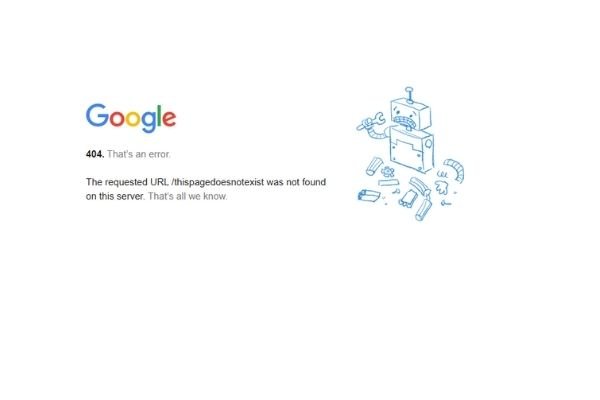
What Is a 404 Error?
A 404 error shows the standard HTML message when a webpage has problems. Simply put, it means the server hosting your website cannot display the requested page. This HTTP status code is part of the web standards that define how servers communicate with browsers about page availability.
What Causes These Errors?
Google explains that this error happens for several common reasons:
- Links that no longer work or are broken
- Webpages that moved to different locations
- Webpages that were completely deleted
These errors can appear in different ways, but they all send the same message. Pages fail to load for many reasons, and websites become unreachable often. Understanding what causes these problems helps you solve them faster and maintain better technical SEO performance.
How 404 Errors Damage Your SEO
So, why should you care about these errors?
Besides creating user frustration, 404 errors can seriously damage your SEO rankings. They make it much harder for your website to appear in search results. Since your website’s main purpose is helping people find your content, you must prevent 404 errors through strategic web design and maintenance practices.
The SEO impact of a 404 error depends on your specific situation and root cause. Both Google and your visitors respond poorly to these errors because user experience matters greatly in modern search engine optimization.
For example, when you move a page or change its web address, Google needs time to update. During this period, Google may still show the old location in search results. This creates 404 errors when people click those outdated links. These failed visits hurt your website’s performance and damage your SEO rankings.
Your main goal should focus on finding and fixing these errors to improve user experience. This approach benefits your visitors and impresses search engines at the same time.

Simple Ways to Fix 404 Errors
Here are several proven methods you can use to fix 404 error codes on your website:
1. Fix Pages in Wrong Locations
When you add new pages to your website, they sometimes end up in incorrect folders.
This solution is straightforward. You need to check the path to your desired page first. Then compare it with what shows in your file transfer service or content management system. Google Search Console provides excellent tools for identifying these structural issues.
If the locations don’t match, move the page to the correct spot and test access again.
Sometimes, entire folders cause the problem instead of individual pages. When you move folders containing multiple pages, all those page addresses change automatically. You must update these new addresses and fix any broken links immediately.
2. Set Up Page Redirects
When you need to move a page to a different location, create a 301 redirect first. This prevents the old page from showing a 404 error to visitors. A 301 redirect tells browsers and Google that your page moved permanently to a new address. This redirect automatically sends users from the old page to the new location.
Here’s a practical example: you have separate product pages but want to organize them under one main page. This change creates new web addresses for all those products. You don’t want visitors to hit dead ends when clicking old links. Adding redirects to the new locations improves user experience significantly and boosts SEO performance. Search engines can find and index your reorganized pages much easier. For businesses managing complex site structures, professional Google consulting can help implement these technical solutions properly.
3. Bring Back High-Traffic Pages
You might discover that old or deleted content still receives significant visitor traffic. This creates many 404 errors that hurt your website performance. Using your content management system or website analytics, you can identify which missing pages attract visitors. When possible, restore these pages to capture that valuable traffic and eliminate 404 errors.
Here’s a common scenario: you wrote a blog post about a popular industry trend. Later, you rewrote or combined that content with another article, so you deleted the original post. However, people still search for and click links to that missing page.
In this situation, consider recreating the page with fresh, valuable content for visitors. This approach helps your SEO rankings significantly and improves your keyword targeting and user experience. Agencies specializing in Denver SEO often recommend this strategy for maintaining traffic flow.
4. Create Custom Error Pages for Low-Quality Content
Sometimes, keeping an error page actually benefits your SEO performance. When you have poor-performing content, leaving a well-designed error page tells Google you removed it intentionally. This signals that you focus on improving your website’s overall quality.
Most successful websites include custom 404 pages that guide users toward helpful next steps. Modern web development practices emphasize creating engaging error pages that maintain user engagement.
These custom pages help search engine crawlers understand your site structure better. They also keep visitors engaged longer, even when they encounter missing content. A good 404 page should include links to other valuable pages on your website. For example, a franchise website might direct visitors to individual location pages instead.
5. Find and Fix Broken Links
Often, a 404 error happens because of a simple broken or incorrectly typed link.
Finding and fixing these broken links prevents unnecessary 404 errors from occurring. This process also helps clean up your internal linking structure significantly. Link-checking tools make it easy to track and manage all your website links systematically.
404 errors are a normal part of managing any website. No matter which methods you choose to handle them, focus on one key goal. Always give your users and search engines the best possible experience. This approach will benefit your website’s success in the long term. For comprehensive site maintenance, consider working with specialists in Las Vegas SEO who understand local market dynamics.
Take Action to Boost Your SEO Performance
404 errors happen when webpages cannot be found by visitors or search engines. These errors can seriously damage your website’s SEO rankings and create frustrating user experiences. Learning how to handle these errors properly is essential for keeping your site visible through effective SEO strategies. You must ensure that users can always access your valuable content consistently.
Ready to improve your website’s performance and eliminate troublesome 404 errors? Professional teams can help you identify problem areas and fix broken links quickly. They implement smart redirect strategies and strengthen your technical SEO foundation completely. For businesses in competitive markets like New Brunswick, addressing these technical issues becomes even more critical for maintaining search visibility.
Conclusion
404 errors pose serious threats to your website’s search engine rankings and user satisfaction. These broken page errors create negative experiences that drive visitors away from your site. Search engines like Google penalize websites with frequent 404 errors by lowering their visibility in search results.
However, you can take immediate action to protect your SEO performance. Start by identifying broken links and missing pages through regular website audits. Implement 301 redirects for moved content and restore high-traffic deleted pages when possible. Create custom 404 pages that guide users to valuable content instead of dead ends.
Remember that fixing 404 errors improves both user experience and search engine crawling. Make error prevention a priority in your ongoing website maintenance routine. Your proactive approach will strengthen your SEO foundation and boost long-term online success. For comprehensive support, consider partnering with marketing services that understand these technical requirements. Professional guidance ensures your contact page and other critical pages remain accessible to both users and search engines.
Frequently Asked Questions
1. Do 404 errors automatically hurt my website’s SEO rankings?
Not all 404 errors damage your SEO rankings equally. However, frequent 404 errors create poor user experiences that search engines notice. High-traffic pages with many 404 errors cause more SEO damage than occasional broken links.
2. How quickly should I fix 404 errors after discovering them?
You should address 404 errors as soon as possible after finding them. High-traffic pages need immediate attention to prevent visitor loss and SEO damage. Priority should go to pages receiving significant organic traffic or backlinks from other sites.
3. What’s the difference between 301 redirects and custom 404 pages?
301 redirects automatically send users from old URLs to new page locations permanently. Search engines transfer the original page’s SEO value to the new location. Custom 404 pages appear when content no longer exists and guide visitors to relevant content.
4. Can I ignore 404 errors on pages that never received traffic?
You can prioritize other SEO tasks over fixing zero-traffic 404 errors. However, completely ignoring them isn’t recommended for long-term website health. Regular cleanup prevents these minor issues from becoming major SEO problems later.
5. How do I know which 404 errors need immediate attention?
Focus on 404 errors affecting pages with high organic traffic or valuable backlinks first. Use Google Analytics and Search Console to identify your most important broken pages. Also prioritize pages linked from your main navigation or homepage.
