
Which Redirect Type Works Best For SEO: 301 Or 302?
Use 301 redirects for permanent page moves and 302 redirects for temporary changes. A 301 redirect transfers 90-99% of SEO power to the new URL, while 302 redirects keep rankings with the original page. Wrong redirect choices can damage search rankings and traffic significantly.
Website redirects tell browsers and search engines that content moved to new locations. At Eclipse Marketing, we help businesses implement proper redirect strategies that maintain search engine authority and rankings. Choose 301 redirects when permanently changing URLs to preserve your website’s performance. Select 302 redirects only for temporary moves when returning to original URLs later.
This comprehensive guide covers redirect implementation, common mistakes, troubleshooting methods, and monitoring strategies. Learn technical differences, SEO impacts, and best practices for protecting your website’s search performance during content migrations.
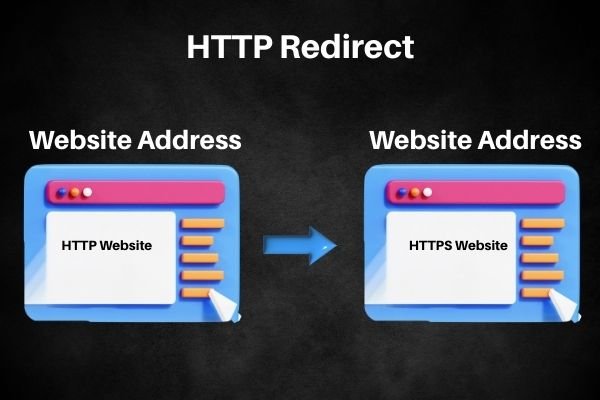
How Do Redirects Work?
An HTTP redirect tells web browsers and search engines that a page moved to a new location. When someone visits a URL, the server sends a redirect code like 301 or 302. The redirect code shows the new address where visitors can find the content they want.
Website owners use redirects when they change their site structure or move pages to new locations. Some moves are permanent, while others are only temporary. Redirects keep your visitors happy by automatically sending them to the right page. They also help search engines find and rank your content properly according to Google Search Central documentation.
Main Differences: 301 vs 302 Redirects
A 301 redirect means the page moved permanently to a new address forever. Use this when you want to transfer your page’s SEO power to the new location. The 301 redirect passes along your existing rankings and authority to the new URL.
A 302 redirect signals that the page moved temporarily for a short time only. This tells visitors and search engines to keep using the original URL later. The original page keeps its SEO value because the move isn’t permanent.
How Redirects Affect Your SEO Rankings
Using a 301 redirect transfers all your old page’s SEO power to the new page. Google and other search engines move your rankings and authority to the new location. Any websites linking to your old URL will now boost your new page instead.
You can also use 301 redirects to combine different versions of your website together. For example, redirect http://yoursite.com to https://yoursite.com to avoid duplicate content problems. This keeps all your SEO strength in one place instead of splitting it. Professional SEO services often implement these redirects during website optimization projects.
A 302 redirect works differently because it doesn’t transfer your SEO power anywhere. Search engines keep the original page’s rankings since the move is only temporary. This means 302 redirects won’t help your new page gain authority or rankings.
Choose your redirect type carefully based on whether your page move is permanent or temporary. The right choice protects your SEO efforts and keeps your rankings strong.
Technical Differences Between 301 and 302 Redirects
Search engines handle these two redirect types in completely different ways. A 301 redirect transfers 90-99% of your page’s SEO power to the new location. A 302 redirect keeps all SEO value with the original page instead.
Browser caching works differently for each redirect type too. Browsers remember 301 redirects forever unless you tell them otherwise with special settings. This means visitors go straight to the new page on future visits.
Browsers don’t automatically save 302 redirects in their memory systems. They check the original URL every time unless you specifically program them differently. This keeps the temporary nature of 302 redirects working properly. Understanding these technical aspects becomes crucial when planning web design projects that involve URL structure changes.
SEO Impact: Choose Wrong and Lose Rankings
Picking the wrong redirect type can seriously damage your search engine rankings. Using incorrect redirects affects how Google and other search engines find and rank your pages.
Use the right redirect type to protect your SEO value when moving content around. Choose 301 redirects when you permanently change URLs and want to keep all SEO power. This moves your authority and rankings from old links to your new page location.
Pick 302 redirects when you make temporary changes or test different page versions instead. Keep your existing rankings safe while you experiment with new ideas or make short-term changes. Switch back to your original URL without losing any SEO value later.
How to Set Up 301 Redirects on Your Website
Access your website’s server and edit the .htaccess file to create 301 redirects manually. This file tells your server how to handle different situations like redirecting old URLs. You can also use CMS plugins or SEO tools with simple interfaces instead.
Set up individual page redirects by creating a redirect for each specific URL separately. This method ensures visitors and search engines find your new page locations without problems. Target each old URL to its exact new destination for best results.
Use wildcard redirects when you need to redirect many pages from one folder. This saves time when moving entire sections of your website to new locations. Wildcard redirects handle multiple URLs at once with a single redirect rule.

Why Proper Redirects Matter for Your Website
Keep Visitors Happy with Smooth Navigation
Using the right redirect type keeps your visitors moving smoothly through your website. A 301 redirect sends users to new pages instantly without delays or confusion. When someone clicks an old product page link, they automatically reach the updated version.
Good user experience directly improves your search engine rankings over time. Set up 301 redirects when you move or remove content to avoid broken links. This prevents visitors from hitting dead ends and keeps them engaged with your site. Marketing agencies prioritize user experience optimization alongside technical SEO improvements.
Wrong redirect choices create problems for your visitors and search rankings. Using 302 redirects for permanent changes confuses users and search engines alike. Visitors might see outdated content in search results or get bounced between different URLs.
Protect Your Search Engine Rankings
Proper redirects directly control how search engines find and rank your web pages. Use 301 redirects for old or outdated content to tell search crawlers the change is permanent. This signals search engines to update their records with your new page locations.
Transfer all SEO power from your old URLs to new ones with 301 redirects. Any websites linking to your old pages will pass their ranking value to your new destinations. This keeps your organic traffic strong even after major website changes or restructuring.
Maintain your search visibility by choosing 301 redirects for permanent moves every time. Keep your backlink value flowing to the right pages and preserve your hard-earned rankings. Local SEO agencies often help businesses maintain rankings during website migrations.
Remember that 302 redirects don’t transfer SEO power because they signal temporary moves only. Save 302 redirects for short-term changes when you plan to return to original URLs.
Fix Common Redirect Mistakes That Hurt SEO
Common redirect errors can seriously damage your website’s search engine rankings and traffic. The biggest mistake is using the wrong redirect type for your situation. Mix up 301 and 302 redirects and you’ll lose traffic and search rankings fast.
Update all internal links after setting up redirects to avoid broken link problems. Don’t leave old URLs scattered throughout your website content and navigation menus. Replace every old link with the new URL to keep user experience smooth.
Handle URL parameters carefully during redirection to prevent duplicate content issues that confuse search engines. Wrong parameter handling creates multiple versions of the same page in search results. This splits your SEO power and hurts your rankings badly. The Moz Blog explains redirect best practices for avoiding these common pitfalls.
Learn the differences between redirect types and always update internal links completely. Handle URL parameters properly and your redirect strategy will protect your SEO performance.
Troubleshoot Redirect Problems Fast
Find and fix redirect problems by identifying issues from wrong setup or misuse. Use Google Search Console to spot crawl errors caused by broken redirects quickly. This tool shows you exactly which pages have redirect problems that need fixing.
Run regular site audits to catch broken or outdated internal links from poor redirect handling. Check your site structure and find areas where old URLs still exist without proper redirects. Take immediate action to fix these linking problems and keep your site healthy.
Stay updated on redirect best practices through trusted sources like Google Search Essentials regularly. Keep your knowledge current on how to handle different redirect types effectively. Follow official guidelines to avoid common mistakes that hurt your SEO performance.
Google’s Aging Delay: Why 302 Redirects Create Problems
Google handles each redirect type very differently when indexing and ranking your pages. With 301 redirects, Google indexes your new page quickly and transfers most ranking signals fast. With 302 redirects, Google creates an “aging delay” that keeps showing old URLs.
This aging delay means Google continues displaying and ranking your old URL even after redirection. Your old content stays in search results much longer than you want it to. This creates serious problems when you need immediate changes or urgent content updates.
Avoid aging delay issues by using 301 redirects for all permanent content changes instead. Don’t let outdated content coexist with new versions in search results for extended periods. Choose the right redirect type to control how quickly Google updates your listings. Google consulting can help businesses understand these technical nuances.
Stop Aging Delay Problems Before They Start
Use 301 redirects every time you make permanent website moves to avoid Google’s aging delay. This ensures your ranking signals transfer to new pages immediately without delays from outdated indexing. Always choose permanent redirects for permanent changes to your site structure.
Monitor your website performance after setting up redirects to catch any lingering problems quickly. Watch for old URLs that still appear in search results despite proper redirect setup. Submit updated sitemaps through Google Search Console to trigger fresh crawling and indexing.
Manage all internal links actively after major website changes or content updates alongside your redirects. Update every internal link to point to new URLs directly instead of relying on redirects. This creates the fastest path for both users and search engines.

Move Your Website to a New Domain Successfully
Plan your website migration carefully by considering traffic changes, SEO impact, user experience, and long-term goals. Choose 301 redirects for permanent domain moves to protect your search rankings and user experience. Consider all factors before making the final redirect type decision for your migration.
Benefits and Drawbacks of Each Redirect Type
Why 301 Redirects Work Best for Most Situations
301 redirects keep your search engine rankings safe during permanent website changes. These redirects move your SEO power effectively from old pages to new locations. They tell search engines that your move to the new domain is permanent and final.
Problems with 302 Redirects for Permanent Changes
302 redirects don’t pass your SEO power efficiently to new page locations. These redirects signal temporary changes instead of permanent moves to search engines. This causes problems when you actually want to move content permanently to new URLs.
Setting up your chosen redirect type requires some technical knowledge and careful planning steps. Make sure each page redirects appropriately when working with websites that have multiple pages. Map every old URL correctly to its new destination for smooth visitor and search engine experience.
Modify your server settings or use plugins for content management systems like WordPress. Each old URL needs precise mapping to its new location for proper redirection. Take similar technical steps for 302 redirects but remember they won’t maintain SEO value long-term. Specialized agencies can assist with complex migration projects.
Track Your Redirect Performance with Analytics
Keep Your Website Data Accurate After Changes
Set up proper redirects to keep all traffic and engagement data from old URLs. Analytics platforms will continue tracking user behavior accurately on your new website locations. When you rebrand from “oldbusiness.com” to “newbusiness.com,” 301 redirects maintain visitor tracking continuity across both domains.
Integrate Google Analytics with 301 redirects during website moves or URL changes for complete monitoring. Track important metrics like page views, bounce rates, and conversion rates after your migration. Use this data to make smart decisions about optimizing your new website structure.
Monitor user interactions closely after implementing redirects to catch any problems early. Watch for drops in traffic or engagement that signal redirect issues needing fixes. Make data-driven improvements to your content and site structure based on post-migration analytics.
Keep Improving Your Redirect Strategy Over Time
Monitor how users interact with redirected pages through ongoing testing after your website migration. Use Google Search Console to spot potential redirect problems quickly and fix them. Regular monitoring helps you catch issues before they damage your SEO performance.
Watch for unexpected drops in organic traffic that signal redirect problems needing attention. Find instances where users hit errors due to wrong redirect setup and fix them. Look for chances to improve internal linking based on how users navigate after redirection.
Keep refining your redirect approach based on insights from monitoring user behavior patterns. Use data from your redirects to make smart decisions about future website changes. Continuous improvement ensures your redirects keep working effectively for SEO and user experience. Expert teams can provide ongoing optimization support.
Conclusion
Choose the right redirect type to protect your website’s SEO performance and user experience. Use 301 redirects for all permanent changes to transfer rankings and authority effectively. Save 302 redirects only for temporary moves when you plan to return to original URLs.
Monitor your redirects regularly using Google Search Console and analytics tools to catch problems early. Update all internal links after implementing redirects to avoid broken link issues. Handle URL parameters carefully to prevent duplicate content problems that hurt your rankings.
Test your redirect strategy continuously and refine your approach based on user behavior data. Follow best practices from trusted sources like Search Engine Journal to stay current. Take immediate action when you spot redirect issues to maintain your search engine visibility and traffic flow. For professional assistance with redirect strategy, contact our team for expert guidance.
Frequently Asked Questions
What’s the main difference between 301 and 302 redirects?
A 301 redirect signals a permanent move and transfers SEO power to the new URL. A 302 redirect indicates a temporary move and keeps SEO value with the original page.
Do 301 redirects hurt my SEO rankings?
No, 301 redirects protect your SEO rankings during permanent website changes. They transfer 90-99% of your page’s SEO power to the new location.
How long should I keep redirects in place?
Keep 301 redirects in place permanently since they signal permanent moves to search engines. Remove 302 redirects once you’re ready to return to the original URL.
Can I redirect multiple pages at once?
Yes, use wildcard redirects to handle multiple pages from one folder simultaneously. This saves time when moving entire website sections to new locations.
What tools help monitor redirect performance?
Use Google Search Console to spot crawl errors and redirect problems quickly. Integrate Google Analytics to track traffic and user behavior after implementing redirects.
